
Welcome to Repairs
Every module in SorviAI Repairs, what each one is for, and where to start.

Work through SorviAI Repairs one module at a time. Each guide below covers a single job and stops when that job is done. Repairs shares its records with the rest of the suite, so a customer or an item created here is the same record everywhere, but these guides are Repairs' own: nothing in the sidebar sends you into another app's documentation.
Modules
Repairs holds thirteen screens in six groups. All Modules, at the right of the tab bar, opens the lot.
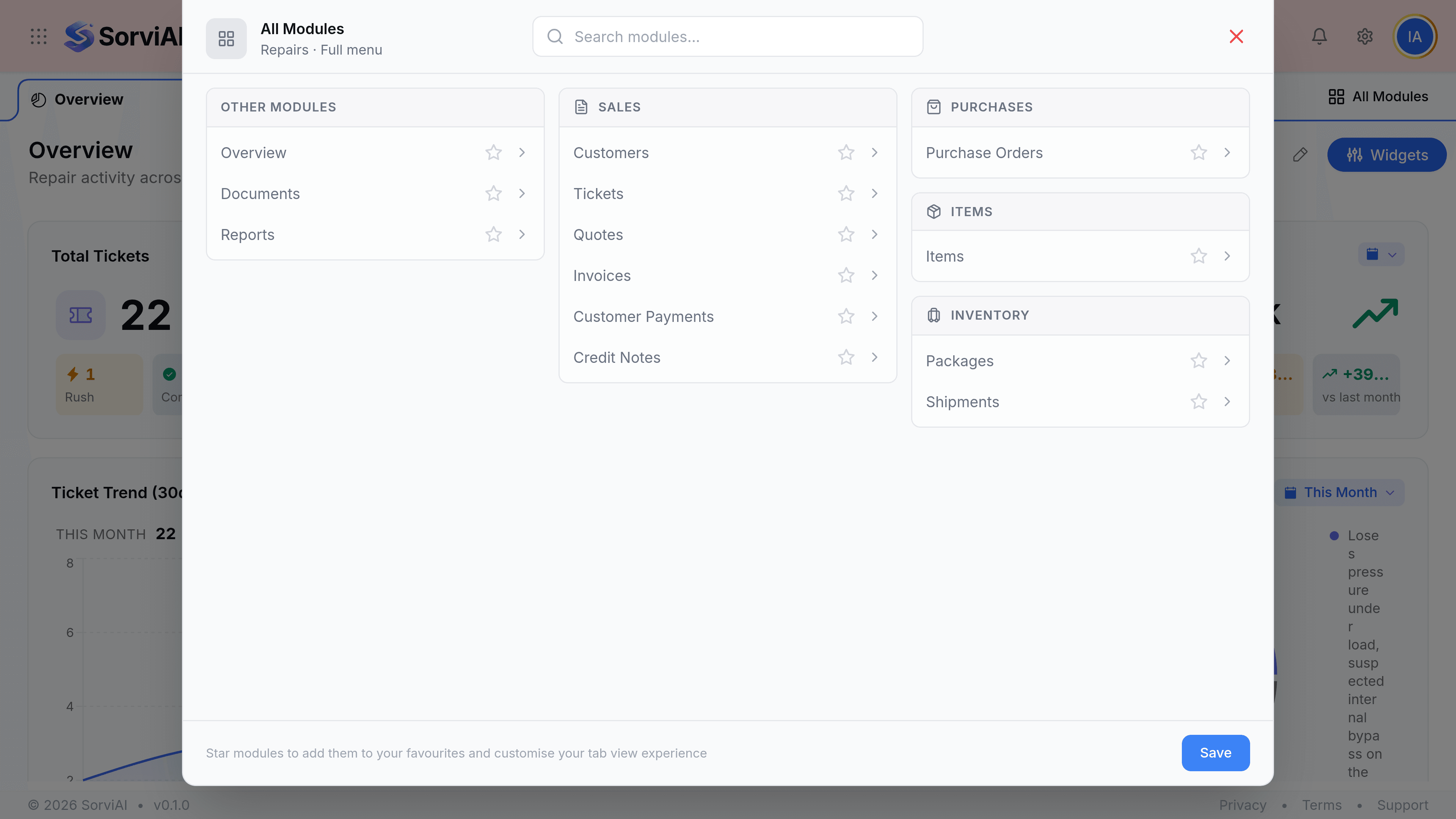
- TicketsThe record of one repair job: the customer, the equipment, the faults and the work.
- DashboardWhat is on the bench this month, who is doing it and what it has earned.
- QuotesThe estimate a customer approves before a technician starts.
- InvoicesWhat you bill once the work is done, raised from the ticket.
- Payments ReceivedMoney arriving against a repair invoice, and what it settles.
- Purchase OrdersWhat you send a supplier for the parts a repair is waiting on.
- CustomersWho the equipment belongs to, and every job they have sent you.
- ItemsThe parts you fit and the services you charge for.
The rest of the menu
These are the screens you reach for less often, and each is the only route to the job it does.
- Credit NotesReversing a charge when a repair was reworked, refunded or billed wrongly.
- PackagesWhat went into the box before a repaired machine leaves the workshop.
- ShipmentsThe carrier, the tracking number and whether the customer has it back.
- ReportsWhat the workshop did, what it earned, and where a repair is stuck.
- DocumentsPhotographs, warranty papers and every other file kept beside a repair.