
What tickets are
The record behind one repair job: the customer, the equipment, the work done on it, and what it comes to.
A ticket is one repair job written down. It names the customer who brought the equipment in, lists what is wrong with each piece, records the labour and the parts that put it right, and carries the money the job comes to. Everything else in Repairs either feeds a ticket or is produced by one.
Highlights
- One ticket covers one visit, however many pieces of equipment came in with it.
- Each line is a separate repair, with its own status, technician and price.
- Ticket numbers are issued for you in sequence, so nobody has to invent one.
- A ticket is not a bill. It becomes a quote or an invoice when you convert it.
- Everything that happens to it is logged, down to who changed which field.
The list
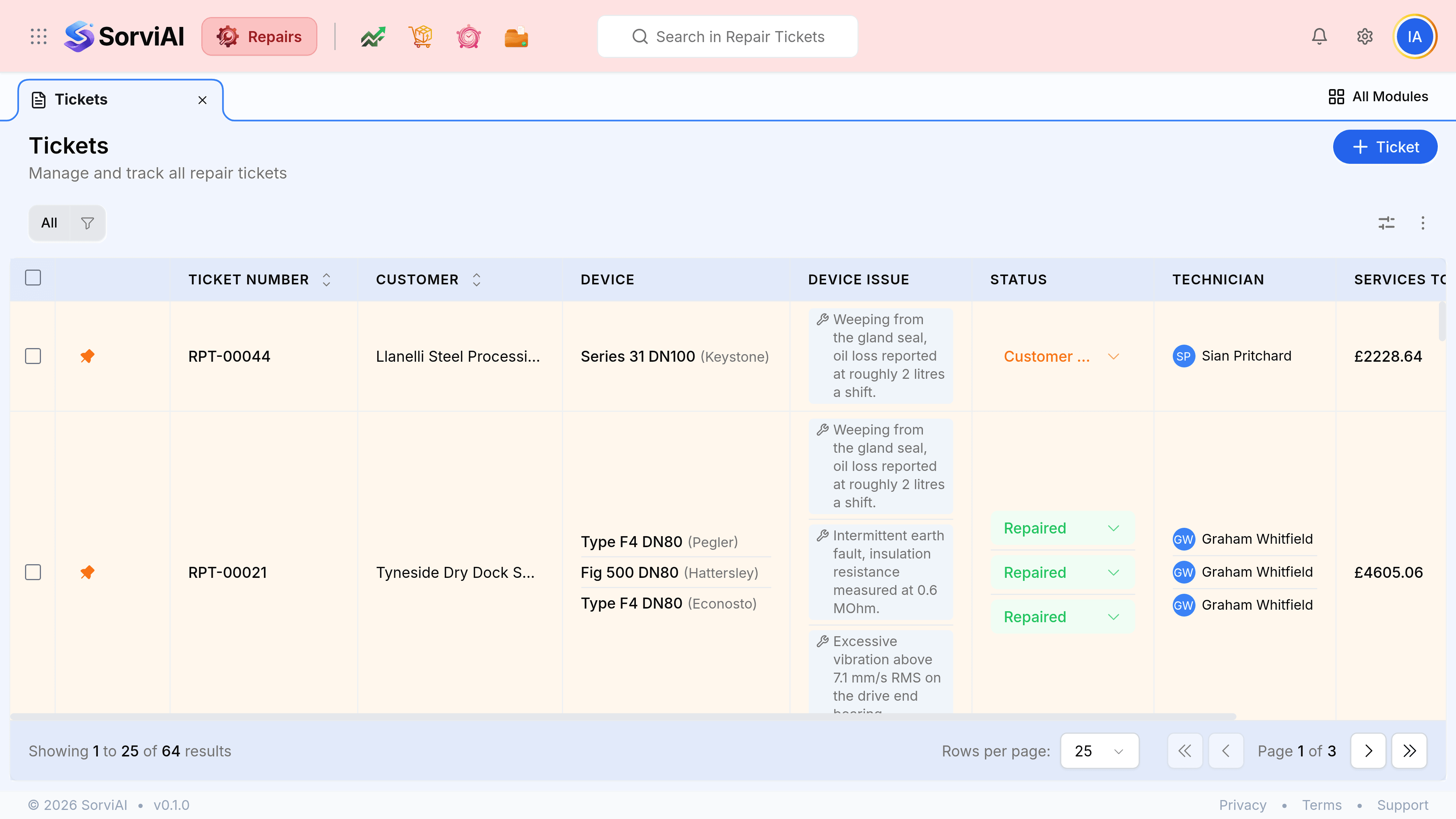
Tickets opens on a list of every repair on your books, newest first. The columns answer the questions asked across a service counter: whose is it, what is it, what is wrong with it, who has it, and what will it cost.
What a ticket holds
Opening a ticket puts the repair in the middle, the rest of the list down the left, and its history down the right.
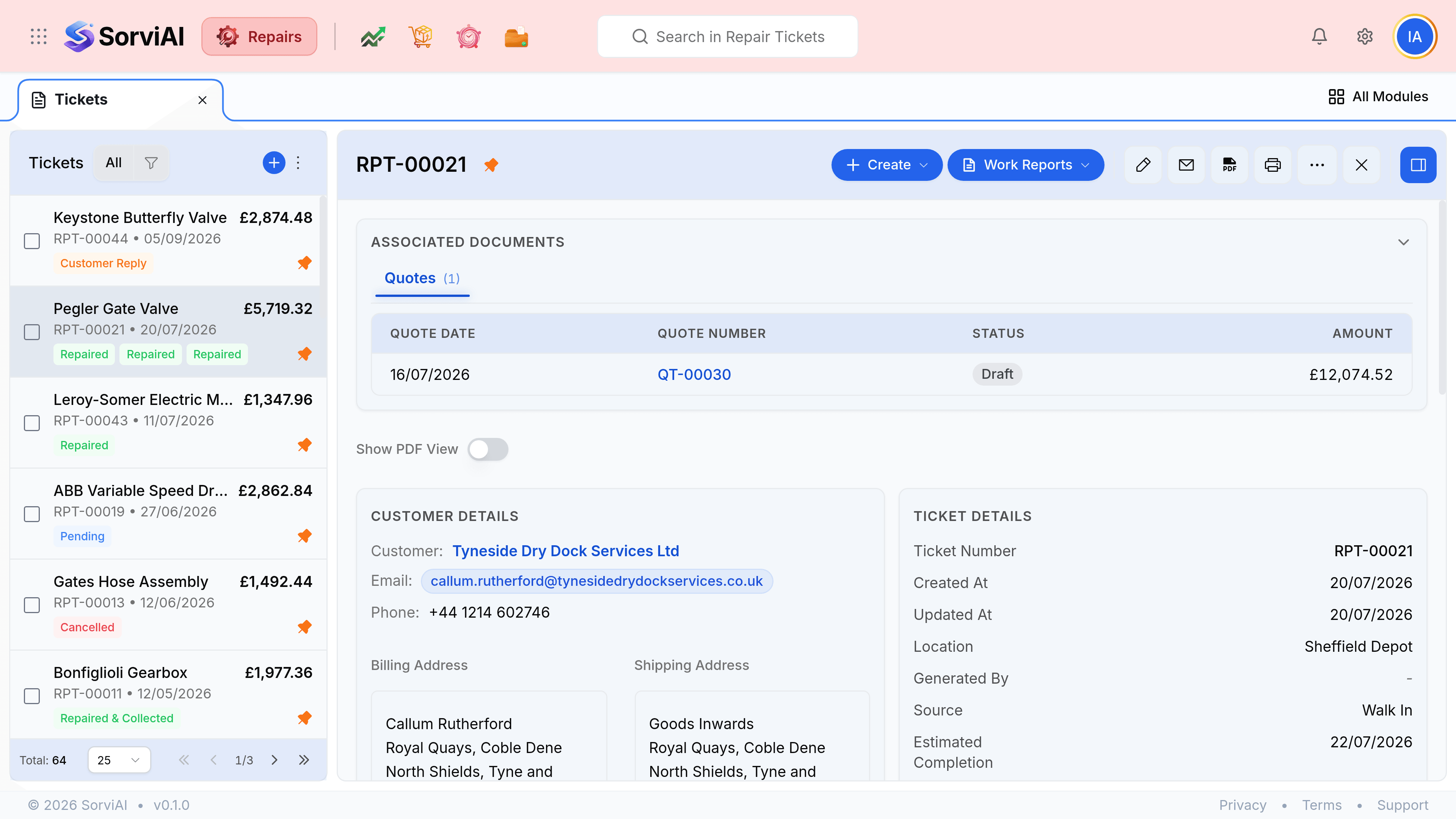
- Associated documents
- The quotes and invoices this ticket has produced, with what each one is worth and what is still owed on it.
- Customer details
- Who the equipment belongs to, how to reach them, and where it is going back to.
- Ticket details
- The number, the dates, the depot holding the equipment, and how the job came to you.
- Services
- One row per repair: the equipment, the fault, who is doing it, and what the labour costs.
- Parts
- What the repair consumes, priced separately from the labour.
- Totals
- Labour and parts added up, less any discount, less anything already paid.
- Activity panel
- Comments left by your team and an automatic log of every field that changed.
Where a ticket sits in the work
A ticket is the first record in the chain and the one the rest hang off. Nothing is billed until a ticket says there is something to bill.
| Direction | What passes |
|---|---|
| A ticket needs | A customer, and the parts and services you charge for |
| A ticket produces | A quote to be approved, an invoice to be paid, and a package to send the equipment back in |
| A ticket records | A work report per repair, the technician's account of what they found and did |
| A ticket never does | Take money. A payment is recorded against the invoice, not against the ticket |