
Find a customer's repair history
Every ticket, quote, invoice and payment raised against one customer, in the place they all gather.
"Have we seen this before?" is the question that decides whether a job is a fresh repair or a warranty rework, and the customer record answers it. Every document ever raised against them is gathered on one tab, grouped by kind.
Highlights
- The Transactions tab is the history, and it holds every document type.
- The reference column names the ticket, so a quote points back at the job.
- Statistics answers the shape of the relationship rather than listing documents.
- Search by serial number instead when you want one machine rather than one customer.
- Nothing here is filtered to repairs, so their non-repair business shows too.
Read the transactions tab
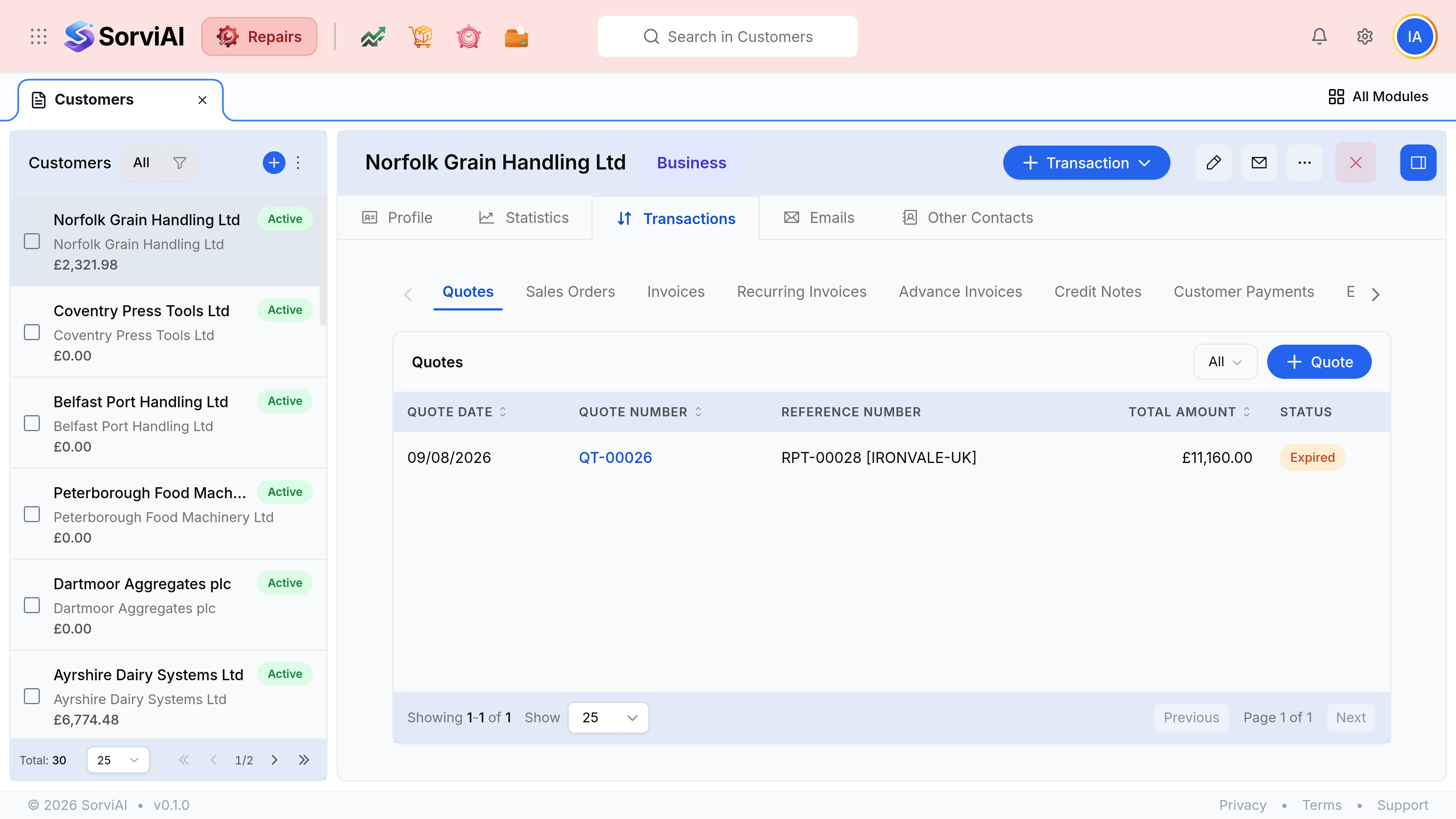
Open the customer
Go to Customers and select them, or select their name from any document raised against them.
Go to the Transactions tab
It opens on Quotes. The row of tabs above the table switches between document types.
Choose the kind of document you are after
Invoices for what they were billed, Quotes for what they were offered, Credit Notes for what was reversed.
Follow the reference back to the ticket
The Reference column carries the repair ticket number. Open that ticket for the equipment, the fault and the work report.
When you want one machine, not one customer
Search the serial number in the header search instead. That returns the tickets that unit has appeared on, whoever owned it at the time, which is the question behind a warranty claim.
| The question | Where to look |
|---|---|
| What have we billed this customer this year? | The Transactions tab, on Invoices |
| Did they ever accept that estimate? | The Transactions tab, on Quotes |
| Have we repaired this exact machine before? | Search the serial number |
| Is this rework or a new fault? | Search the serial, then read the work report on the earlier ticket |
| How much are they worth to us? | The Statistics tab |