
Services and parts on a ticket
The two tables that decide what a repair costs: the labour you charge and the materials it consumes.
A ticket prices a repair in two halves. Services is the work: one row per fault, priced at whatever that job is worth. Parts is what the work consumes. Keeping them apart is what lets you see, months later, whether a repair was expensive because it was fiddly or because the component was.
Highlights
- A service row is a repair, and it carries its own status, technician and lead time.
- A part row is a stock item, drawn from the same catalogue the rest of the business uses.
- Both tables total separately, then meet in the totals panel.
- Tax is set per row, so a zero-rated part sits happily beside standard-rated labour.
- Rows can be reordered by dragging the handle at the left of a row.
The services table
Every row is a job somebody will do. Beyond the equipment and the fault, the row carries everything needed to schedule and price that job.
| Field | What it does |
|---|---|
| Repair Status | Where this particular repair has got to. Set per row, so one fault can be finished while another waits. |
| Assigned To | The technician holding this piece of work. Different rows can go to different people. |
| Lead Time | How long you are telling the customer this will take, in your own words rather than a fixed unit. |
| Qty and Rate | How many, and what each is charged at. The amount is worked out for you. |
| Tax | The rate applied to this row alone. |
The parts table
Parts come from the same item catalogue Finance and Inventory use, so a component fitted on a repair is the same record you buy, stock and count everywhere else.
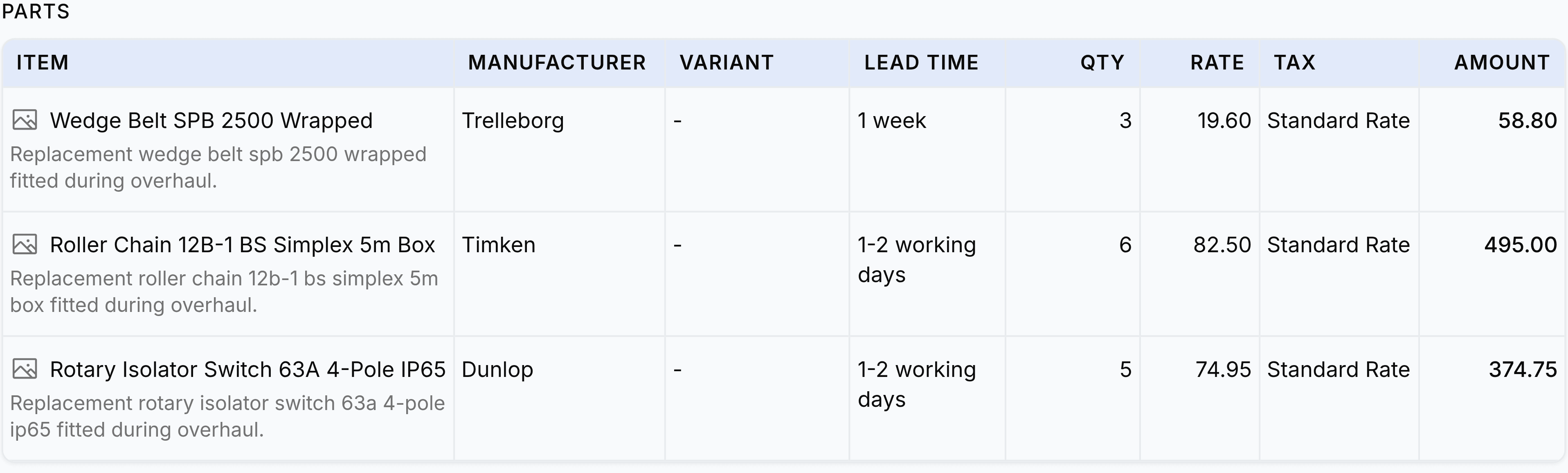
How the two halves meet
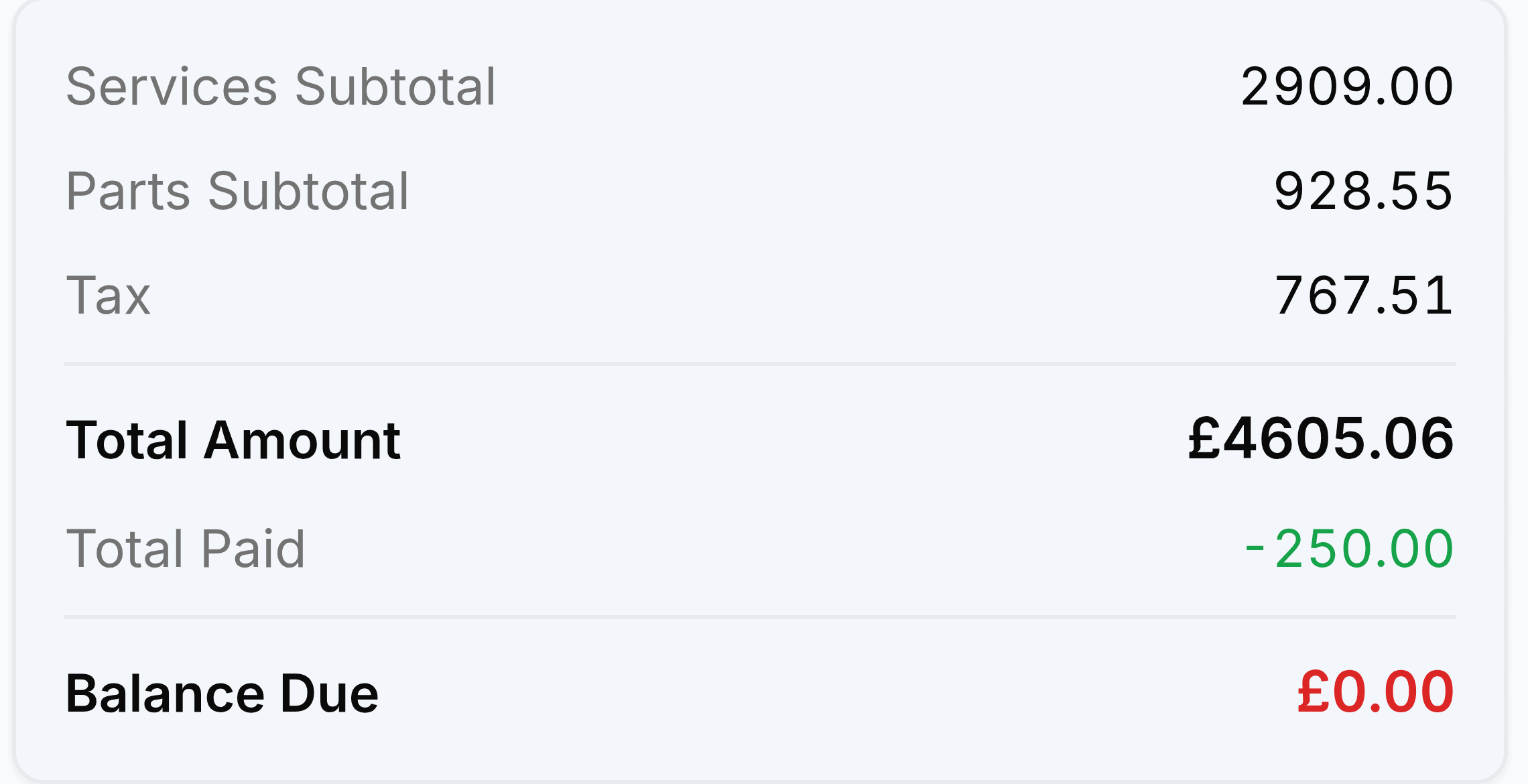
The totals panel keeps the two subtotals visible rather than collapsing them into one figure, then adds the tax and takes off whatever has already been paid.
Open the ticket and select the edit control
The pencil in the ticket header opens the same form the ticket was created on.
Add or amend the rows you need
Select New Row beneath either table. Drag the handle at the left of a row to move it; use the menu at the right of a row to remove it.
Set the tax on each row
A row left without a tax rate is charged at nothing, which is rarely what is meant.
Select Save
The totals recalculate, and the ticket carries the new figure.