
Apply a credit note or refund it
Setting a credit against what the customer owes, or paying it back when there is nothing to set it against.
An open credit note is a promise you have made and not yet kept. There are exactly two ways to keep it: set it against something the customer owes you, or give them the money back. Which one is right depends on whether they owe you anything.
Highlights
- Applying is usually right when the customer has open invoices.
- Refunding is right when they do not, or when they have asked for the money.
- A credit note can be split across several invoices.
- The panel keeps a running total of what you have applied and what is left.
- Part of a credit note can be applied and the rest refunded later.
Apply it to an invoice
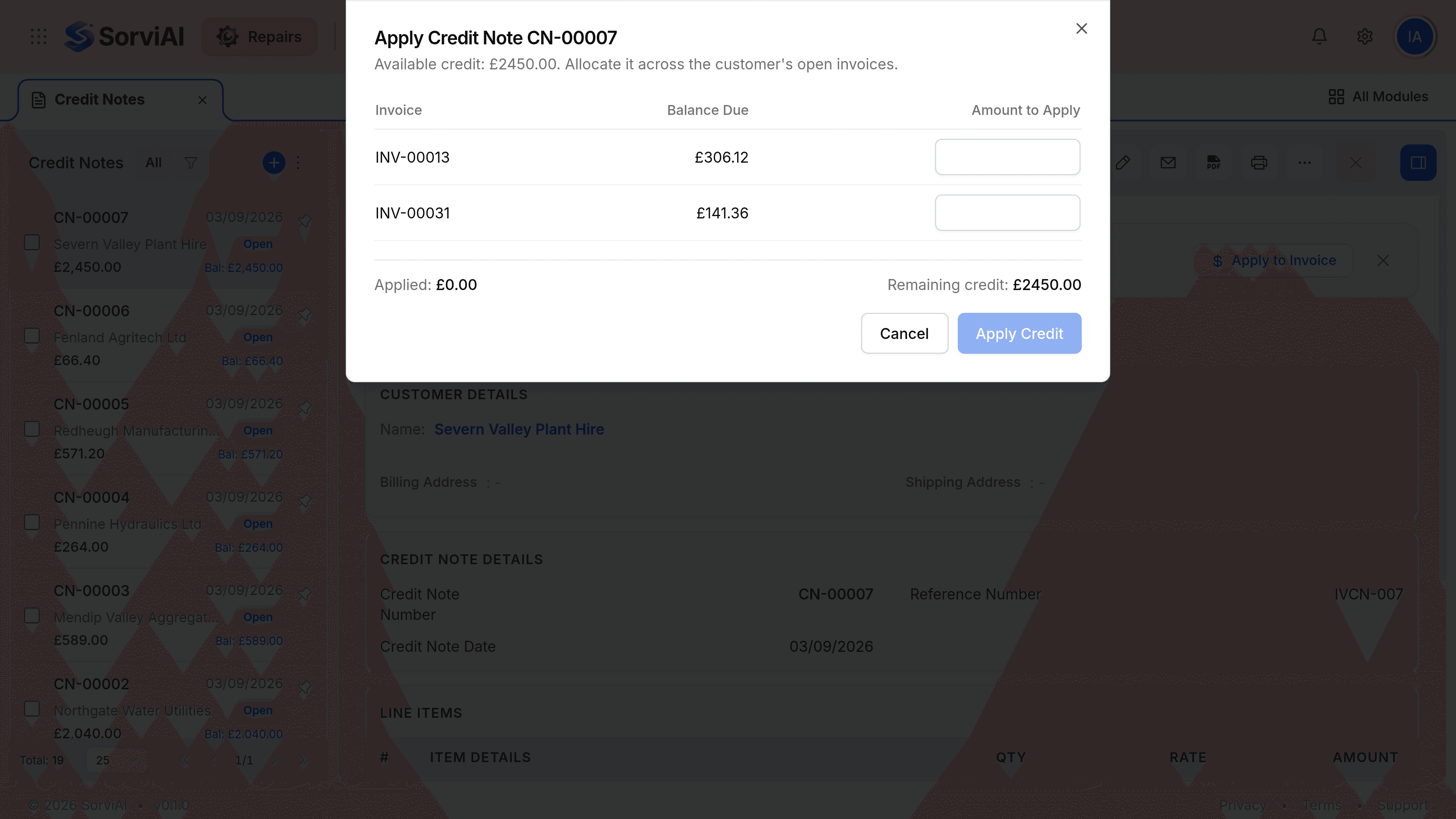
Open the credit note
Go to Credit Notes and select it. It needs to be open rather than draft.
Select Apply to Invoice
The button sits in the header, and the Quick Actions banner offers the same thing.
Enter an amount against each invoice you are settling
The dialog lists the customer's open invoices with what is due on each. Spread the credit across as many as you need.
Check the running totals
Applied and Remaining credit at the foot tell you whether you have used the note up.
Select Apply Credit
The invoices you allocated against reduce, and the credit note's balance falls by the same amount.
Refund it instead
When the customer has nothing outstanding, or has asked for their money rather than a credit, refund the note. The refund is recorded from the credit note, and it asks which account the money is leaving from and why.
| Situation | What to do |
|---|---|
| They have an open invoice for at least the credit | Apply it, and the bill reduces |
| They have a smaller open invoice | Apply what fits, then refund the rest |
| They owe you nothing | Refund it |
| They have asked for the money back | Refund it, whatever else is outstanding |
| You are not sure yet | Leave it open. An unused credit note harms nothing |