
Send a quote and convert it
Getting an estimate in front of the customer, and turning an accepted one into an invoice or a repair ticket.
An estimate is worth nothing sitting in draft. Sending it puts the price in front of the person who has to agree it, and converting it is what turns their agreement into work or into a bill.
Highlights
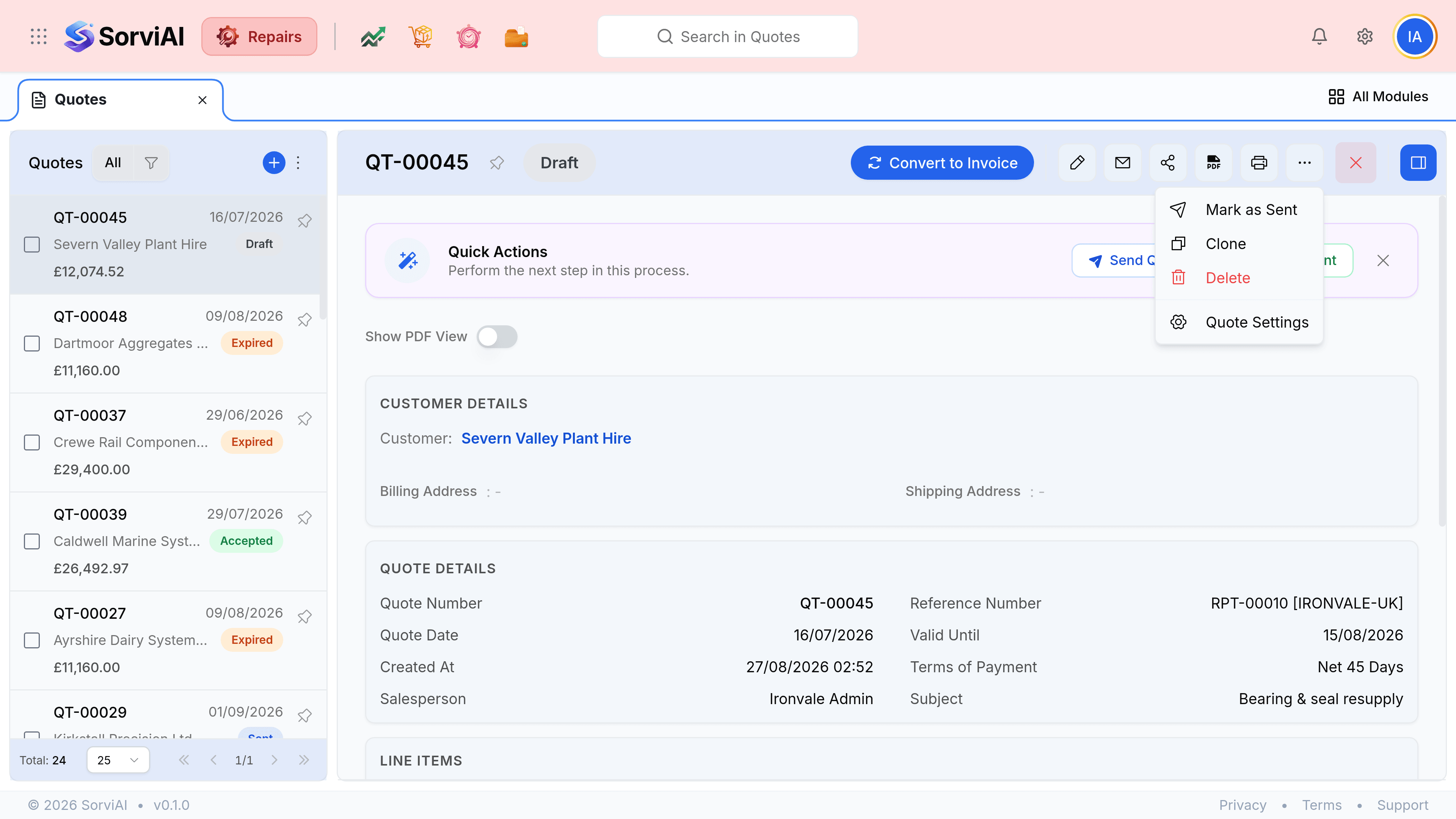
- Email, PDF and print all sit as icons in the quote header.
- Quick Actions offers the next step for whatever state the quote is in.
- Convert offers two destinations: an invoice, or a repair ticket.
- Converting to a ticket is the useful one when the estimate came before the job.
- The original quote survives conversion and stays on the list.
Send it
Open the quote
Select the email icon in the header
The message opens with the customer's address and the quote attached.
Check the recipient and send
The quote moves to sent, which is what stops it looking like unfinished work on the list.
Convert an accepted quote
- Convert to Invoicethe work is done
- Bills the customer for what was quoted. Use it when the repair is finished and the estimate is what you agreed to charge.
- Convert to Repair Ticketthe work is next
- Turns the accepted estimate into a job on the bench. Use it when the quote came first and there is no ticket yet.
Open the accepted quote
The state shows beside the quote number.
Select Convert, then the destination you want
Or use the button in the Quick Actions banner, which offers the same thing for the state the quote is in.
Check the new document before saving it
As everywhere else in Repairs, the conversion prepares a draft and waits. Nothing is written until you save.