
Assign a technician and set a completion date
Putting a repair in someone's hands, and telling the customer when to expect their equipment back.
A repair with nobody's name against it belongs to everybody, which in practice means it belongs to no one. Assignment answers who is doing this, and the completion date answers when it will be done, which together are most of what a customer rings up to ask.
Highlights
- Assignment is per row, so three repairs on one ticket can go to three people.
- A technician is a real user account, not a name typed into a box.
- Est. Completion is the date you are promising, and the ageing report measures against it.
- Lead time is what you tell the customer, in plain words rather than a fixed unit.
- Reassigning is logged, so a job that moved between benches has a trail.
Assign the work
Open the ticket and select the edit control
The pencil in the ticket header reopens the form.
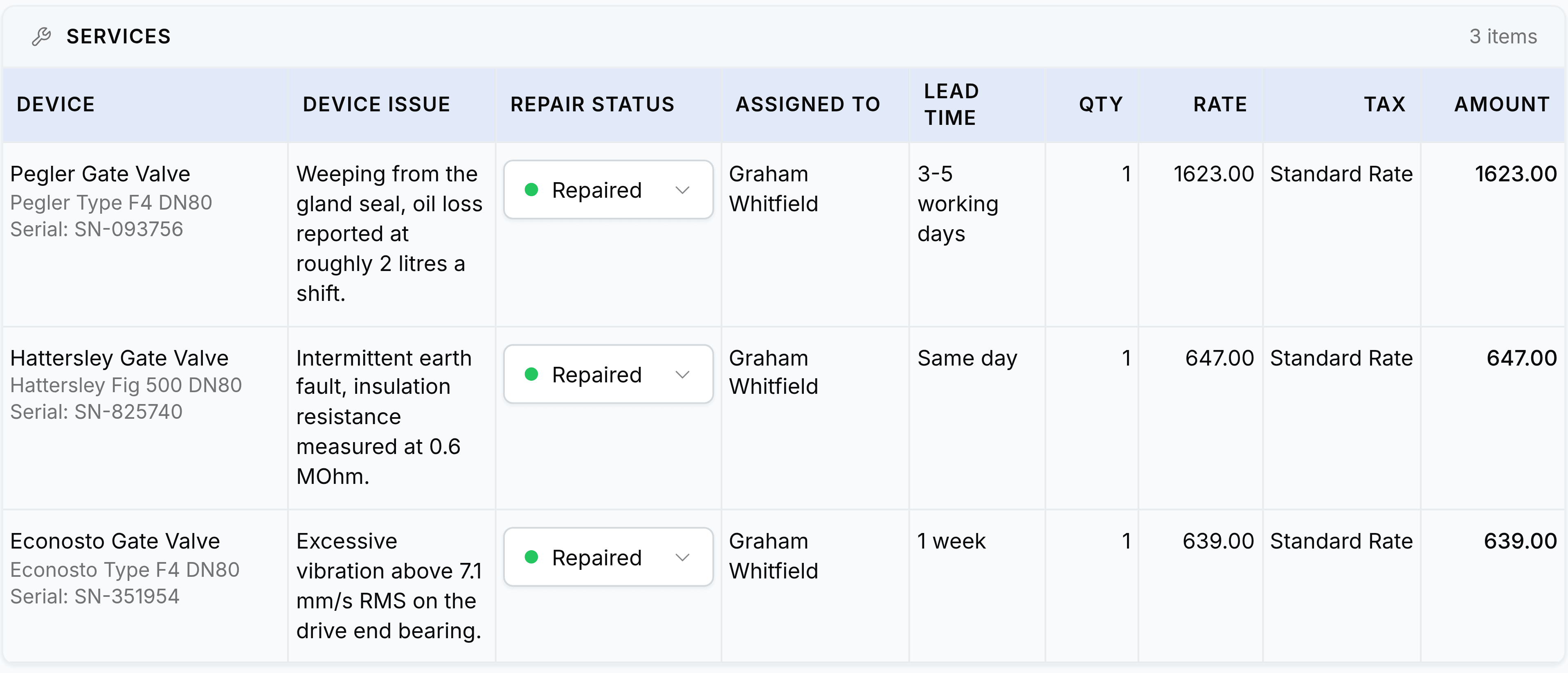
Find the Assigned To column on the service row
Each row has its own picker. A ticket with several repairs on it does not have to send them all to one person.
Choose a technician
The list holds the people set up as technicians in your organisation. Someone missing from it needs a technician record before they can be assigned work.
Set the lead time on the row
Write it the way you would say it: Same day, 1 week, 3 to 5 working days.
Set Est. Completion in the ticket details
This is the ticket-level promise, and the date your reporting treats as the deadline.
Select Save
Why a technician is a user account
Technicians are not free text. Each one is tied to a person who can sign in, which is what makes the rest of the app work.
- Their work is countable
- The technician performance report can only add up jobs that point at a real person.
- Their name goes on the report
- A work report names the technician who wrote it, and the customer may well read it.
- The change is attributable
- The activity log records who reassigned a job as well as who it went to.
Two dates, and what each is for
| Field | Where it lives | What it is for |
|---|---|---|
| Lead Time | On each service row | Telling the customer how long this particular repair takes. It is free text, so it can say Same day or Awaiting supplier confirmation |
| Est. Completion | On the ticket | The date the whole job is promised for. Reporting measures lateness against it, so an empty one leaves the job invisible to the ageing report |