
The billing reports
The reports that read the money: what is unbilled, what is owed, what a repair earned, and what it consumed.
Thirteen of the twenty-seven reports follow a repair from the work done to the money collected. Between them they answer the question a workshop asks at the end of every month: what did we do, what did we charge for it, and what has actually arrived?
Highlights
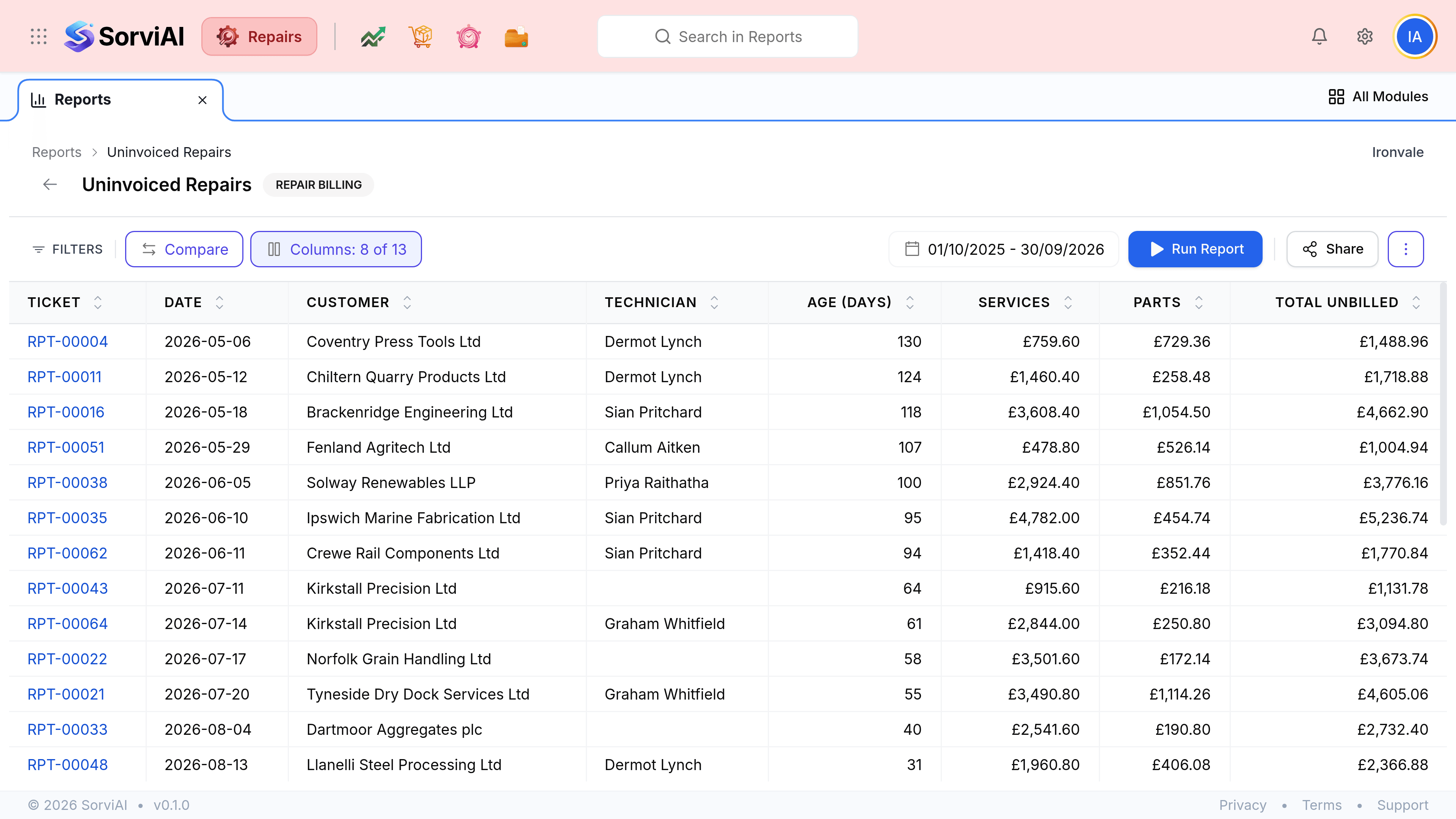
- Uninvoiced Repairs is the one that finds money you have forgotten to ask for.
- Repair Profitability is the only report that reads cost as well as price.
- Parts Consumption connects the workshop to the stockroom.
- Six of these thirteen are shared platform reports, so they read company-wide.
- Run them on a finished period, or the comparison is against a part-month.
Work you have not billed
| Field | What it does |
|---|---|
| Uninvoiced Repairs | Finished work with no invoice against it, aged so the oldest surfaces first. The single most valuable report in the catalogue for most workshops. |
| Deposits and Balance Due | Money taken at intake against money still to collect. |
| Repair Profitability | What a repair earned against what it cost, which is why the cost price on a service is worth setting properly. |
| Ticket to Invoice Reconciliation | Whether what was billed matches what was recorded on the ticket. The report that catches a conversion run twice. |
Parts, customers and the money in
| Field | What it does |
|---|---|
| Parts Consumption Summary | What repairs actually used, which is what your reordering should be based on. |
| Stock Summary | What you hold. A shared platform report, so it covers all stock rather than repair stock. |
| Repairs by Customer | Who sends you the most work, by volume and by value. |
| New vs Returning Customers | Whether the workshop is growing or recycling the same names. |
| Invoice Details | Every invoice in the organisation. Shared, so not filtered to repairs. |
| Customer Balance Summary | What each customer owes overall. Also shared and company-wide. |
| Payments Received | Money in. Shared, and therefore broader than the Repairs payments screen. |
| Purchase Order Details | Every order raised. Shared. |
| Receive History | What arrived against those orders. Shared. |