
What customers are
Who the equipment belongs to, and the one record every ticket, quote and invoice in Repairs is raised against.
A customer is the person or business the equipment belongs to. It is the first thing a ticket asks for and the only field on that form you cannot leave empty, because everything downstream, the estimate, the bill and the money, is addressed to this record.

Highlights
- This list is not filtered to repairs. Every customer the business has is here.
- One record, every app. The same customer serves Finance and Repairs alike.
- Receivables and unused credits sit on the list, so you can see who owes what.
- A credit limit can be set and is worth setting before a large job.
- Five tabs hold the profile, the numbers, the documents, the emails and the other people.
The list
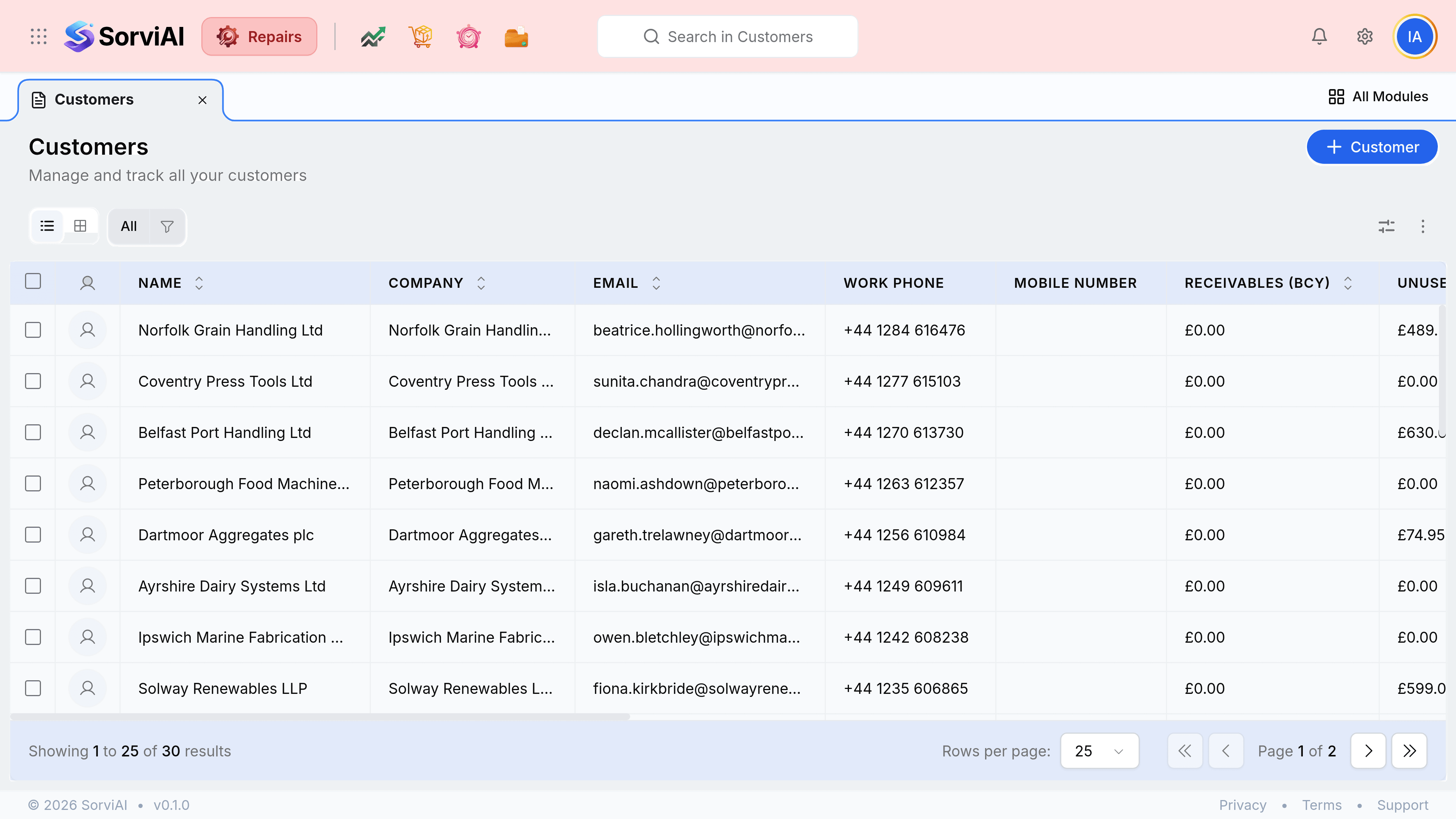
What a customer record holds
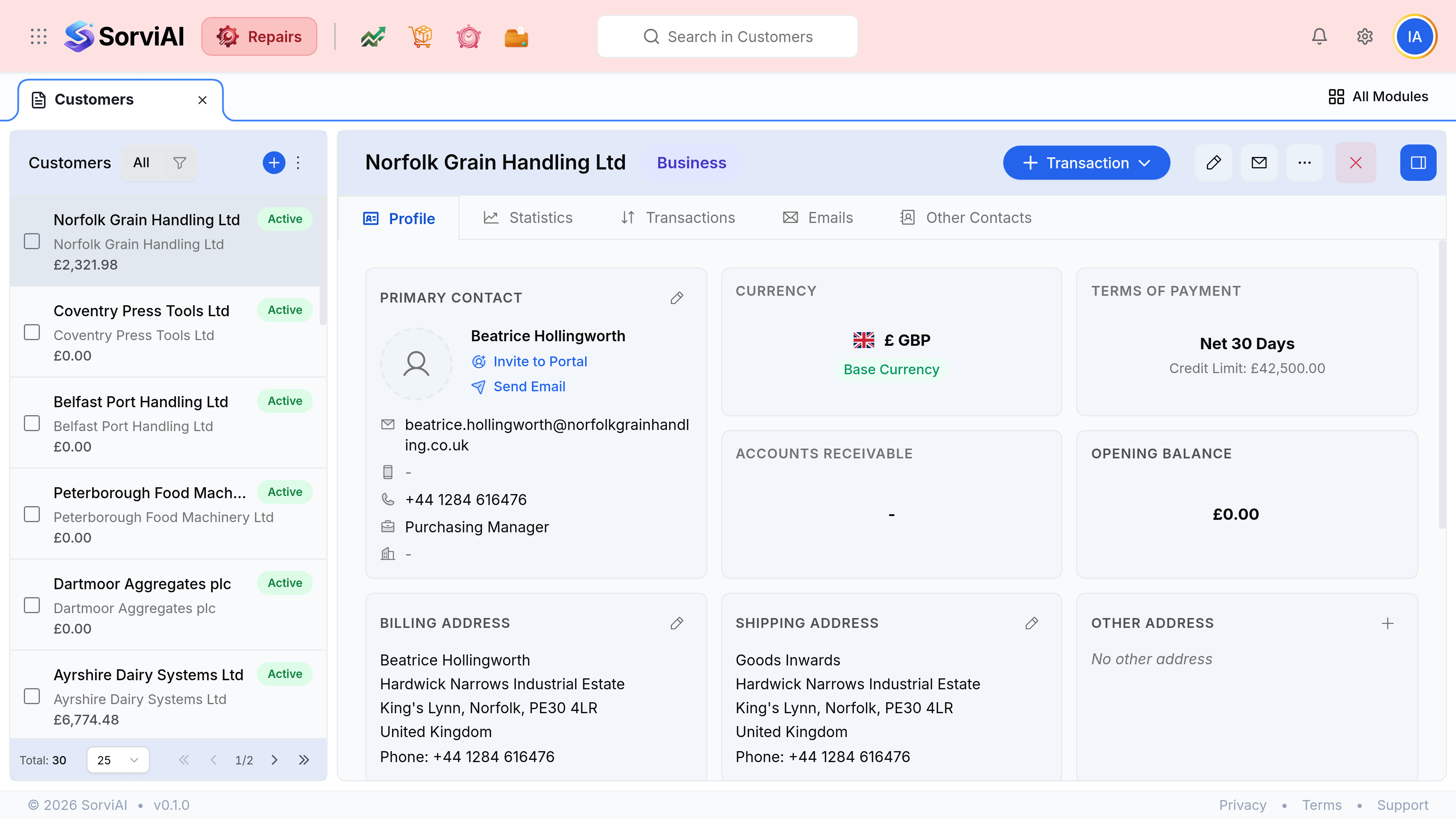
- Profile
- Who to contact, where to send things, what currency they trade in, and how long they have to pay.
- Statistics
- The shape of the relationship in numbers, rather than a list of documents.
- Transactions
- Every document raised against them, grouped by kind. This is the repair history.
- Emails
- What has been sent to them from the system.
- Other Contacts
- The people beyond the primary contact, such as a separate accounts department.
The fields that matter on a repair
| Field | What it does |
|---|---|
| Primary contact | Who gets rung when the estimate needs approving. A trading name with no person against it slows every job for that customer. |
| Billing address | Where the invoice goes. It fills the billing block on every document raised. |
| Shipping address | Where the repaired equipment goes back to. Often a goods-inwards bay rather than the head office, and often not the billing address. |
| Terms of Payment | How long they have to pay, which sets the due date on every invoice. |
| Credit limit | What you are prepared to have outstanding with them. Worth checking before booking in a large job. |