
Deposits and balance due
The money taken at the counter, what is left to collect when the equipment goes back, and refunding a deposit when a job is called off.
Workshops take money at two moments: something up front when the equipment is booked in, and the rest when it is collected. Repairs tracks the first on the ticket and the second against the invoice, and the gap between them is the balance due.
Highlights
- A deposit is recorded on the ticket, before an invoice exists.
- The ticket totals show what is paid and what is left, as separate lines.
- A payment against an invoice is a different record from a deposit on a ticket.
- Refunds are recorded from the payment, with a reason attached.
- A refund does not undo an allocation, and the panel says so.
Where a deposit lives
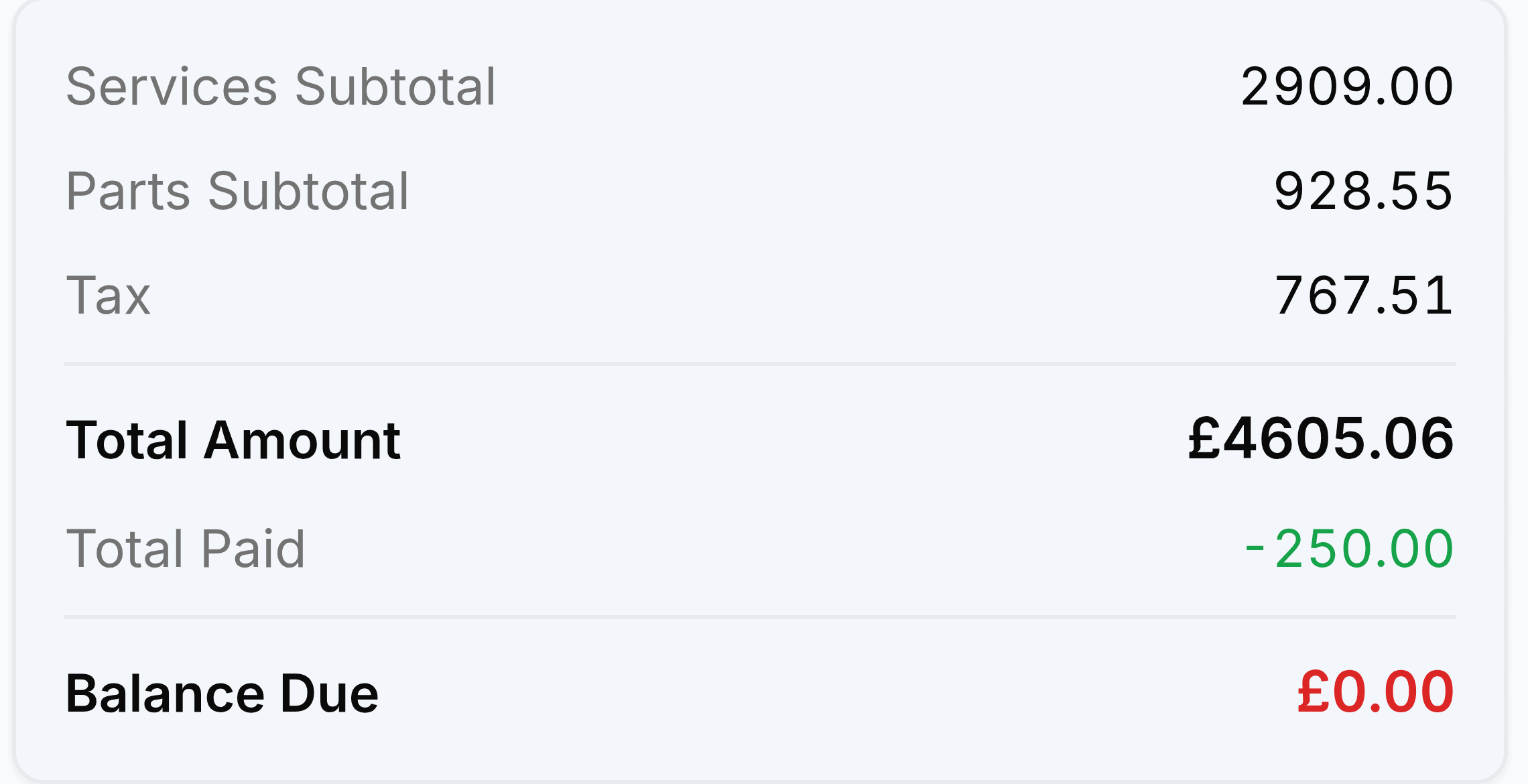
The Totals and Payment section of a ticket carries the money alongside the work, so the person at the counter can see the whole picture without opening an invoice.
| Field | What it does |
|---|---|
| Total Amount | Labour plus parts plus tax, less any discount. What the whole job comes to. |
| Total Paid | Anything already taken against this ticket, including a deposit at intake. |
| Balance Due | What is left to collect. This is the figure to quote when a customer rings up about collection. |
Collecting the balance
Check the ticket's balance before the customer arrives
The Totals and Payment section gives you the figure without arithmetic.
Raise the invoice if it has not been raised
Money is allocated to invoices, so there has to be one.
Record the payment and allocate it to that invoice
The invoice badge moves to paid, or to partially paid if they have settled some of it.
Giving a deposit back
A cancelled job means returning money you have already taken. Record it as a refund against the payment rather than deleting anything.
Open the payment you are refunding
Go to Payments Received and select it.
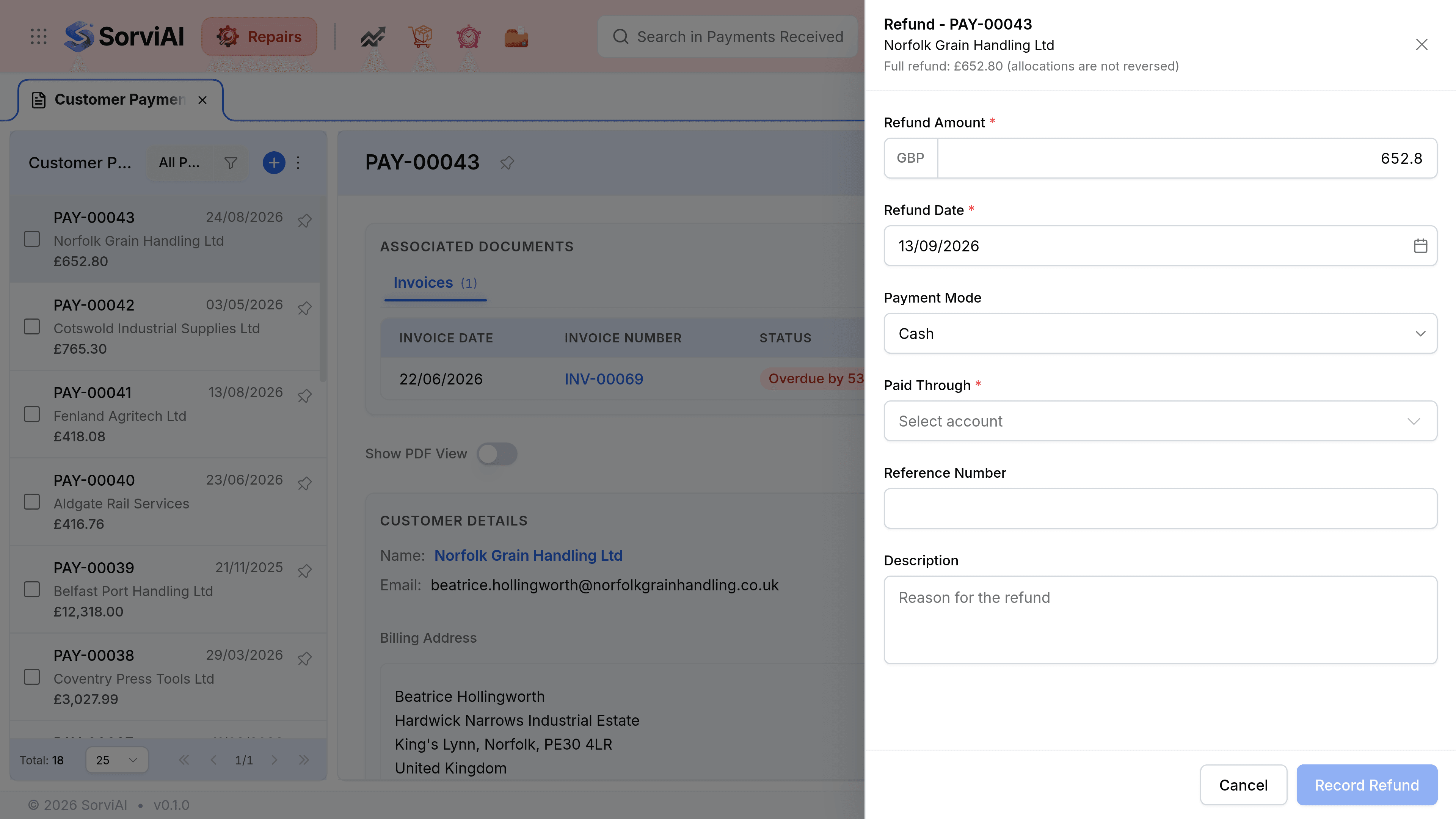
Select Refund
The panel opens with the full amount already entered.
Set the amount, the date and the account it comes from
Reduce the amount for a partial refund, such as keeping a diagnostic fee.
Write the reason in the description
A refund with no explanation is the hardest thing to make sense of a year later.
Select Record Refund