
Track an order and receive parts
Following an order until the parts arrive, booking them in, and passing the supplier's invoice on to be paid.
An order is only worth raising if somebody watches it. Two things have to happen before it is finished: the parts have to turn up, and the supplier's invoice has to be recorded. Repairs tracks them separately, so an order half done never looks finished.
Highlights
- The two tiles are the tracking, and both start red.
- Create Receive books the parts in and is what clears the receiving half.
- Convert to Bill records what you owe the supplier.
- Create Package is there too, for a part going straight back out.
- Neither half waits for the other. Receive without a bill, or the reverse.
Read the two tiles

When the parts arrive
Open the order
Go to Purchase Orders and select it, or reach it from the ticket that is waiting.
Select Create, then Create Receive
The same action sits in the Quick Actions banner at the top of the order.
Record what actually turned up
Enter the quantities delivered rather than the quantities ordered. A short delivery recorded honestly is what stops a technician going to a shelf that is still empty.
Save the receive
The receiving tile clears, and the parts are available to the repair.
Move the ticket off Waiting for Parts
Nothing does this for you. The service row stays on hold until somebody changes it.
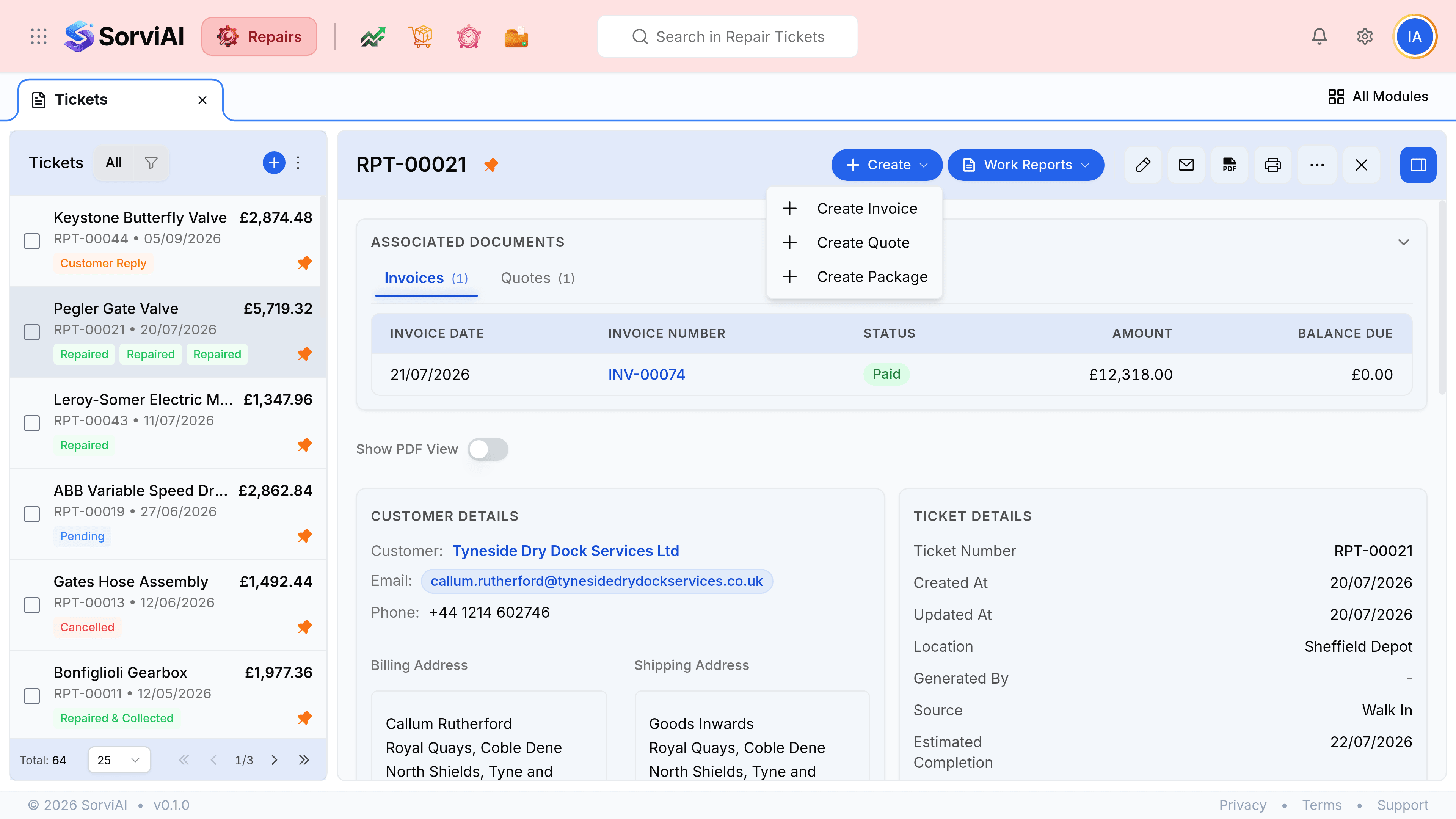
- Create Receive
- Books the delivery in and clears the receiving half. Records what arrived, which may be less than what was ordered.
- Convert to Bill
- Turns the order into the supplier's invoice, so it can be paid. Clears the billing half.
- Create Package
- Packs the goods for onward delivery. Useful when a part is going straight to a customer rather than onto a bench.
When the supplier invoices you
Select Convert to Bill, check the figures against what the supplier actually charged, and save. The billing tile clears, and the bill joins your payables.
Chasing what is late
| What you see | What it means | What to do |
|---|---|---|
| Status Draft | Never sent. The supplier does not know about it | Send it, and apologise to the customer |
| Issued, expected date passed, not received | The supplier is late | Chase them, and update the ticket's lead time |
| Received, not billed | Parts are in, the invoice has not arrived | Nothing yet. It will come |
| Not received, billed | You have been charged for goods you do not have | Query it before paying |