
Convert a ticket to a quote or an invoice
Turning the work on a ticket into an estimate the customer approves, or a bill they pay.
A ticket records work; it never asks anybody for money. Converting is how the labour and parts on it become a document the customer can act on: an estimate before the job, an invoice after it, or a package when the equipment is ready to go home.
Highlights
- Three conversions, all from the Create menu in the ticket header.
- Nothing is saved on the first click. The document is prepared, and you check it.
- An invoice picks up what has not been billed yet, not the whole ticket again.
- The link survives conversion, so the document knows which repair produced it.
- Estimates can be raised from several tickets at once from the list.
What the Create menu offers
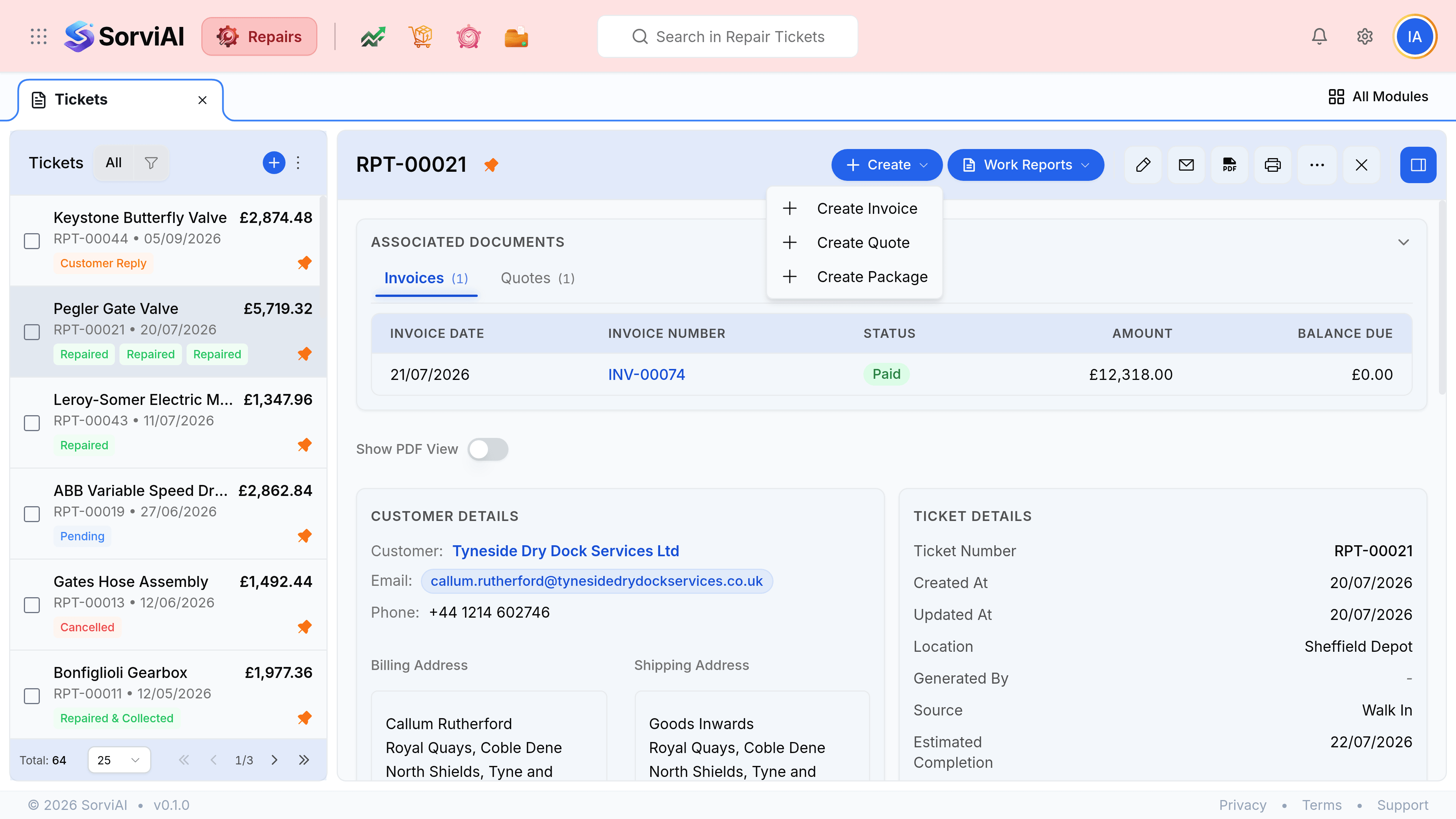
- Create Estimate
- A quote for the work, to be approved before anybody starts. Raise it early, while the price is still a proposal.
- Create Invoice
- The bill for work already done, carrying whatever on the ticket has not been invoiced yet.
- Create Package
- The packing record for sending repaired equipment back. It opens the package form against this ticket.
Convert to an invoice
Open the ticket and select Create
The menu sits in the ticket header, beside Work Reports.
Select Create Invoice
Repairs works out which lines are still unbilled and opens the invoice form with them already in place.
Check the document before you commit to it
This is a draft on screen and nothing has been written yet. Amend the lines, the dates or the wording now.
Select Save
The invoice exists from this moment, linked back to the ticket that produced it.
Convert to an estimate
The same route, choosing Create Estimate. The quote opens prefilled from the ticket's services and parts, and again nothing is written until you save.
Finding what a ticket has already produced
The Associated Documents panel at the top of a ticket carries an Invoices tab and a Quotes tab, each showing the date, the number, the status and what is still owed. It is the fastest answer to whether a job has been billed.
| What you see | What it means |
|---|---|
| An empty Invoices tab | Nothing on this ticket has been billed. Converting will pick up every line |
| An invoice marked Paid with a zero balance | The job is settled. A further conversion would bill only lines added since |
| A quote marked Draft | The estimate exists but has not gone out yet |
| A balance still showing | The invoice is raised and the money has not arrived. Record it against the invoice, not here |