
What Repairs settings covers
The eleven screens behind the gear, the three groups they sit in, and which of them belong to Repairs rather than to the whole workspace.
Repairs settings are a shorter rail than the other apps carry, and deliberately so. Three screens decide how repair work behaves; the rest are the workspace settings every app shares.
Three groups, eleven screens
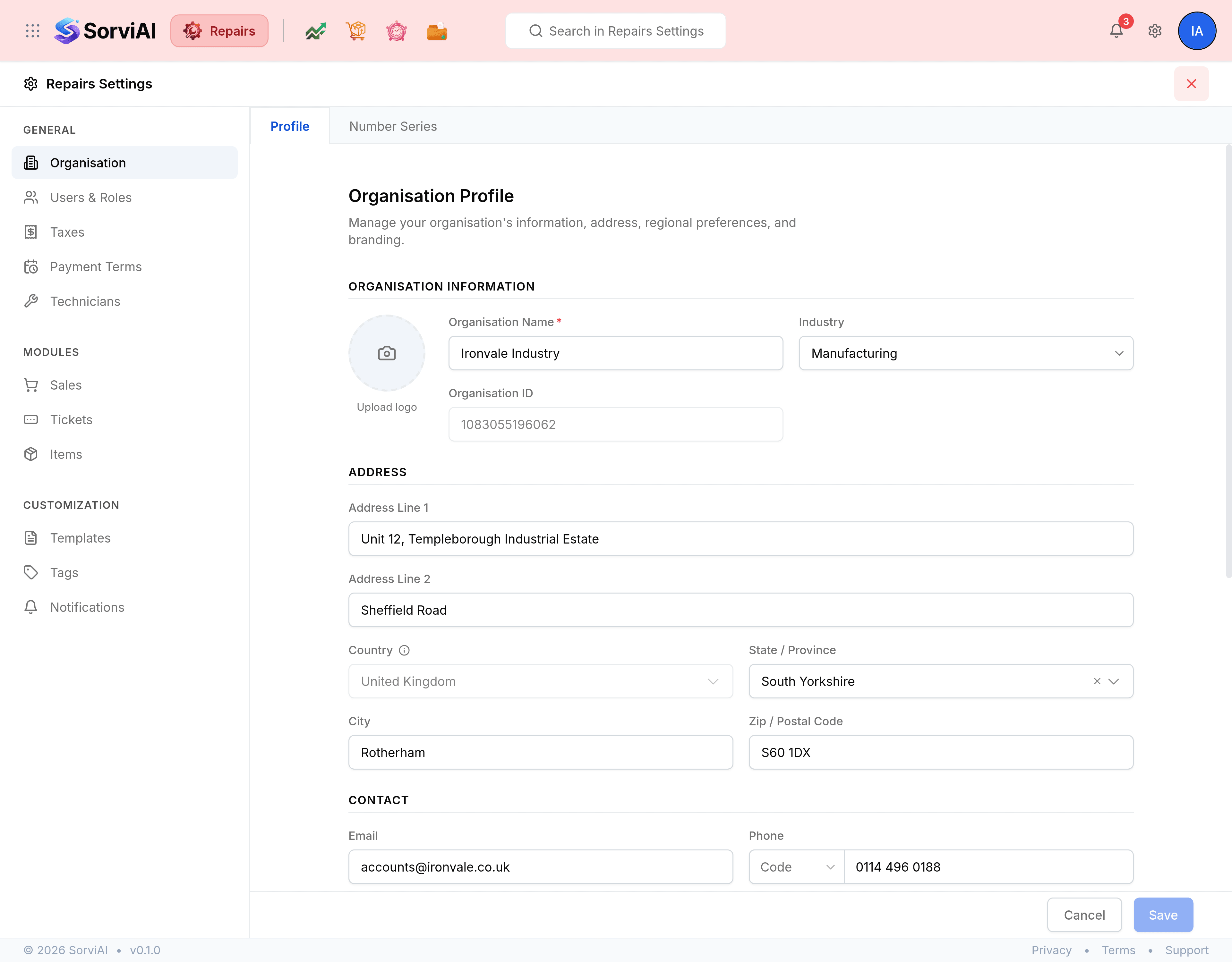
General is who you are and who works for you.
- OrganisationYour profile and logo, and the numbering behind every document.
- Users and RolesWho has access to Repairs, and what each role may do.
- TaxesThe rates a document line can be charged at, and your registration.
- Payment TermsThe due-date rules every document offers.
- TechniciansWhich people do repair work, and the skills each of them carries.
Modules is the work itself, and Tickets is the screen that matters most.
- TicketsThe statuses a repair moves through, the fields on a ticket, and how work reports behave.
- SalesThe five documents Repairs bills with, tab by tab.
- ItemsCustom fields on the parts and services a repair consumes.
Customization is what a customer sees and what reaches you.
- TemplatesThe PDF layout for every document Repairs prints.
- TagsThe labels you file contacts, items and transactions under.
- NotificationsHow and when Repairs tells you something happened.
Opening, saving and closing
The gear at the right of the Repairs header opens settings from wherever you are. It is labelled Repairs Settings, and it remembers the screen you came from, so the cross at the top right puts you back there.
Screens are down the left, grouped; tabs run along the top of the pane. Every screen saves the same way, from the bar at the foot: Save stays greyed out until something actually differs from what is stored, and Cancel puts the screen back.
Three screens are Repairs' own; the rest are the workspace's
Technicians, Tickets and Items configure repair work and exist nowhere else. Everything else on the rail belongs to the whole organisation: another app opening Organisation, Payment Terms, Taxes, Tags or Notifications sees the same values, because there is one set of them and not a copy per app.
What Repairs deliberately does not have
No portal, no email preferences, no workflow automation, no integrations, and no Preferences screen of enabled modules. Repairs bills through the finance side of the workspace, and those settings live with the app that owns them.