Create an invoice from a ticket
Billing the work on a repair, including the parts and services that have not been invoiced yet.
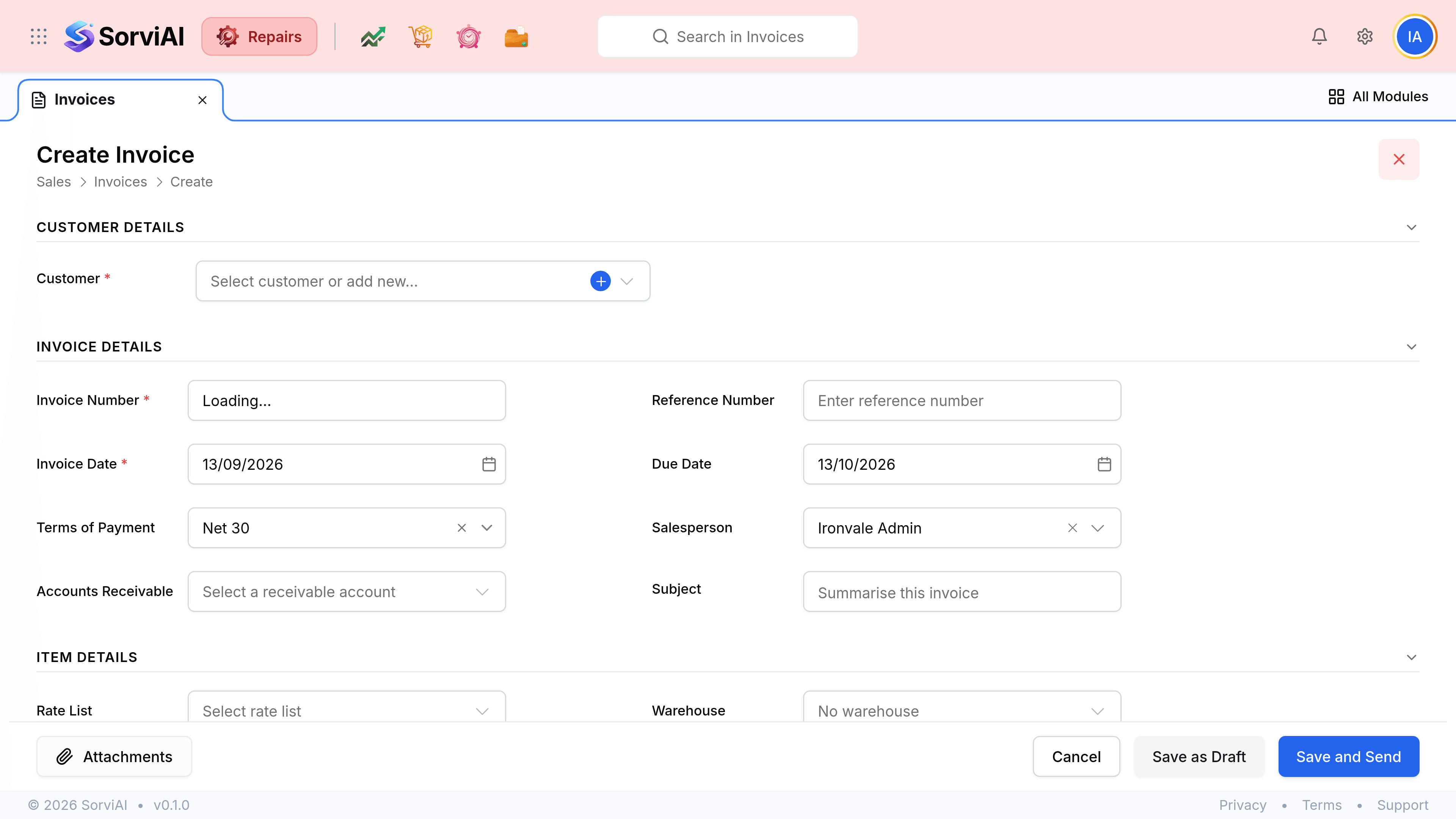
Billing a repair starts on the ticket, not on this list. Repairs works out which of the ticket's lines have not been charged for yet, builds a draft invoice from them, and hands it to you to check.
Highlights
- Only uninvoiced lines come across, so billing twice does not double-charge by default.
- The draft is yours to edit before anything is written.
- The reference number links back to the ticket without you typing it.
- Terms of payment set the due date, so choose them before saving.
- Two save buttons: file it as a draft, or save and send in one step.
- The Invoice button here is for the rare bill with no repair behind it.
Raise the invoice
Open the finished ticket
Go to Tickets and select the job you are billing.
Check what has already been billed
The Associated Documents panel at the top of the ticket has an Invoices tab. An empty one means nothing has been charged yet.
Select Create, then Create Invoice
Repairs gathers the lines that have not been invoiced and opens the form with them in place.
Check the lines, the dates and the terms
Nothing has been saved yet. This is the moment to remove a line you are absorbing or to correct a rate.
Save it as a draft, or save and send it
Save as Draft files it without telling the customer. Save and Send does both at once. Either way the ticket's Invoices tab now shows it.