
The Repairs overview
The board Repairs opens on, the period it counts over, and the four controls that change what it shows.

Repairs opens on the Overview: a board of widgets reading the work in front of you. It is the screen that answers "how is the workshop doing?" before anybody has to open a single ticket, and it is yours to arrange.
Highlights
- Nine widgets ship on the default board, in four kinds.
- A period applies to the whole board, and some widgets carry their own as well.
- Two cards ignore the period entirely and read live instead.
- The pencil turns the board into a canvas you can drag and resize.
- Everything here is per person. Your board is not your colleague's.
The board
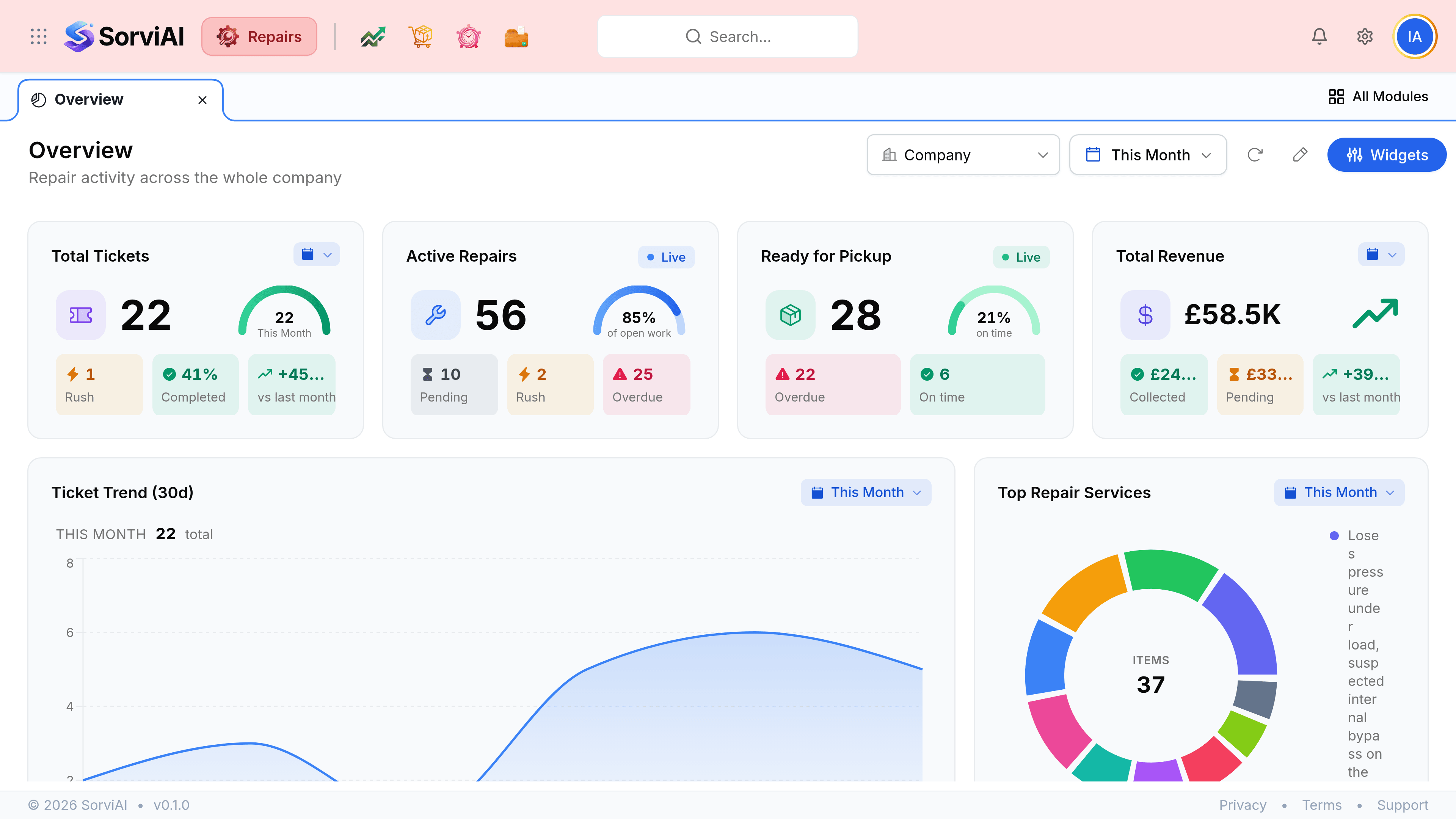
- The period picker
- Sets the window the board counts over. It reads This Month until you change it.
- The refresh control
- Re-reads the figures without reloading the page. Useful on a screen left open on a wall.
- The pencil
- Turns on editing, so widgets can be dragged, resized and rearranged.
- Widgets
- Opens the panel that adds and removes widgets from the board.
The period the board counts over
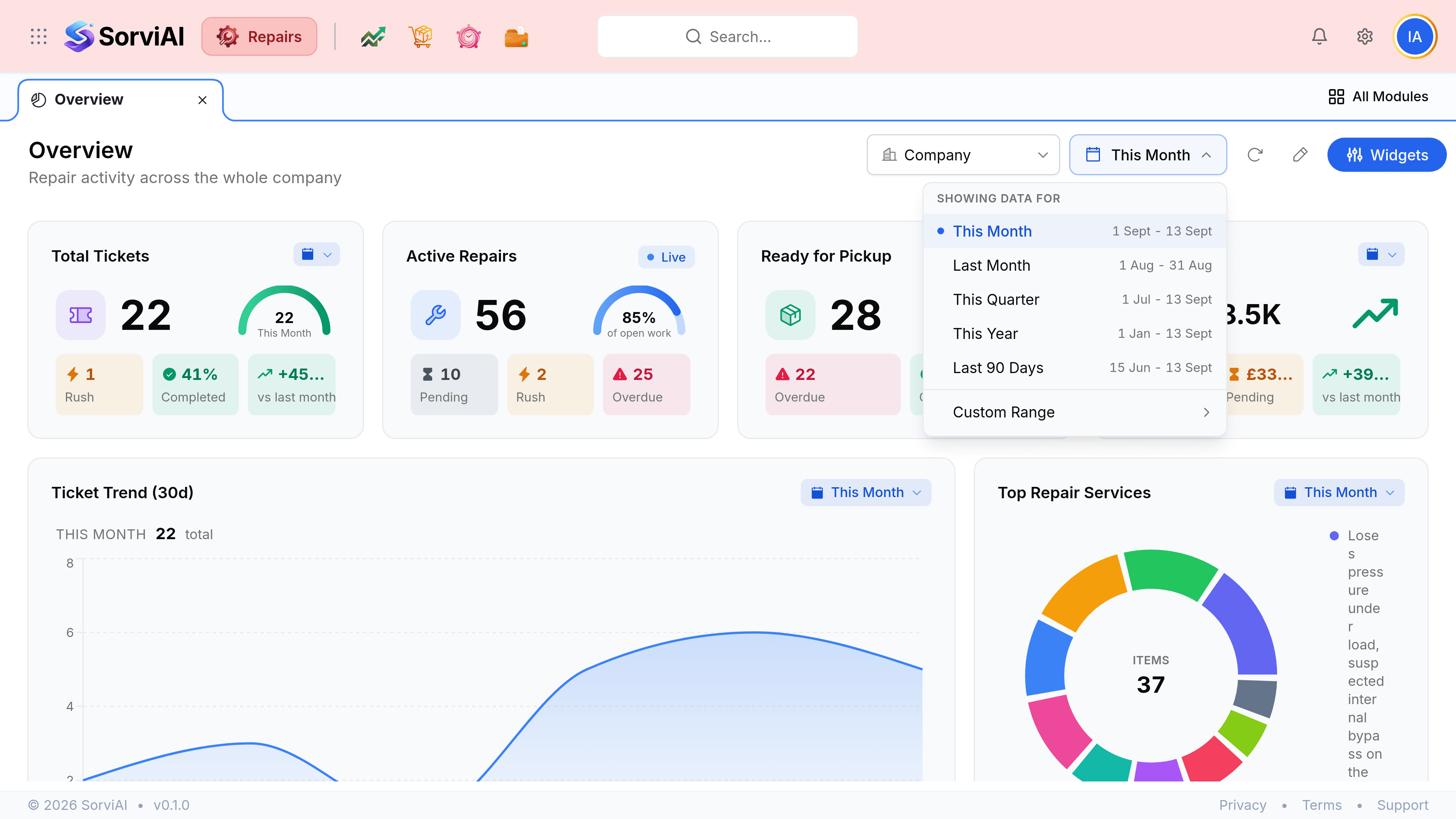
| Option | What it covers |
|---|---|
| This Month | The current calendar month to today. The default |
| This Quarter | The current quarter to today |
| This Year | The year to date |
| Last 90 Days | A rolling window, useful when a month boundary would cut a busy spell in half |
| Custom Range | Any two dates you choose |
Where the board is saved
Your arrangement is yours. Two people looking at the same organisation can have entirely different boards, because the layout, the widgets you turned off and the period you left it on are all held against you rather than against the company.