
What purchase orders are
What you send a supplier for the parts a repair is waiting on, and how to see where the order has got to.
A purchase order is your written request to a supplier: these parts, this price, delivered here by then. In Repairs it exists for one reason, which is that a repair on your bench cannot be finished without something you do not have. The order is the thing standing between a ticket at Waiting for Parts and a technician getting back to work.
Highlights
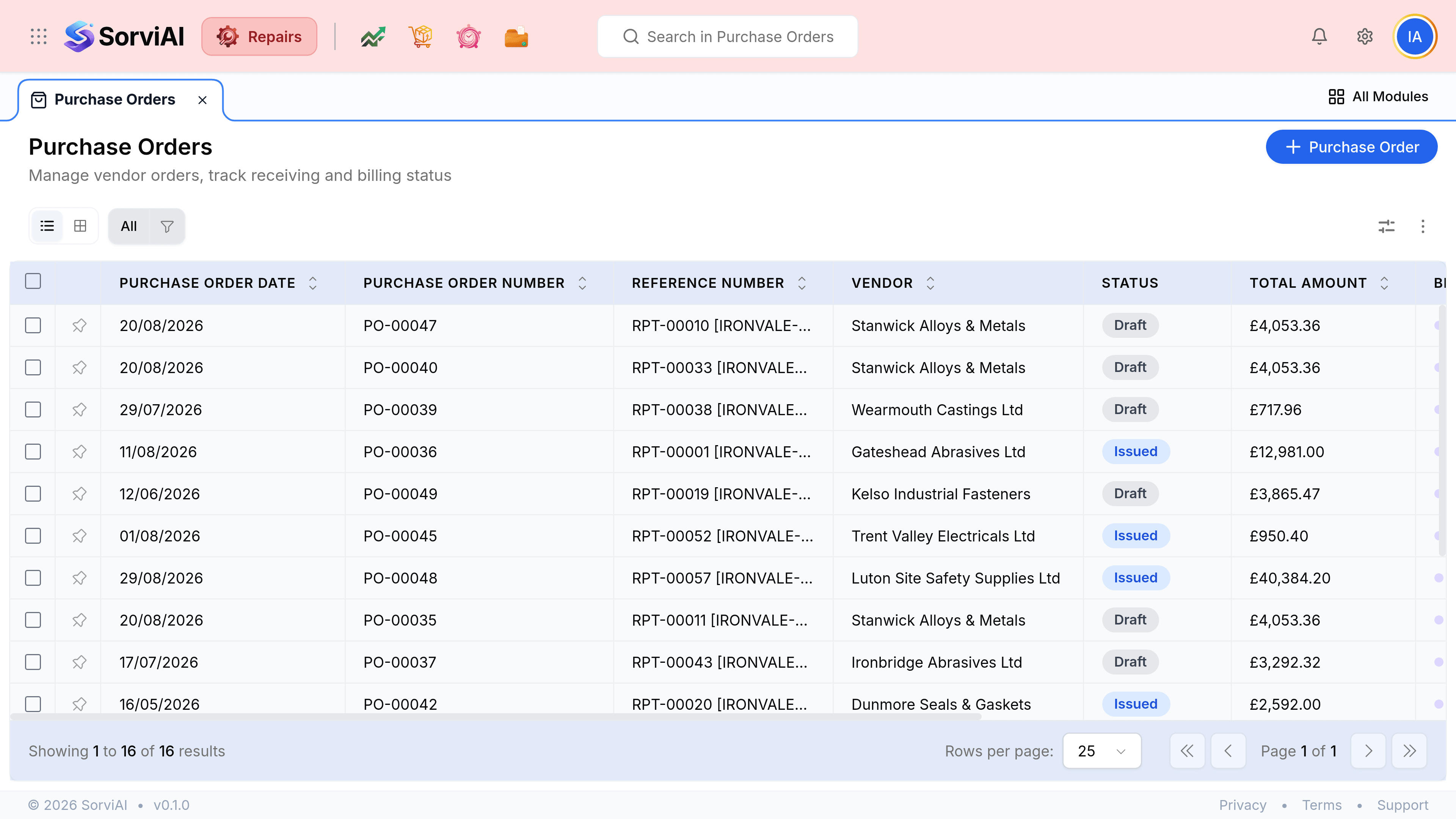
- This list holds repair orders only. Buying done elsewhere in the business is not here.
- Every order names the ticket it was raised for, in its own column.
- Two things are tracked separately: whether the parts arrived, and whether you have been billed.
- Draft means unsent. A supplier cannot act on an order still sitting with you.
- The order says where to deliver, which need not be your own workshop.
The list
What an order holds
- Associated Repair Tickets
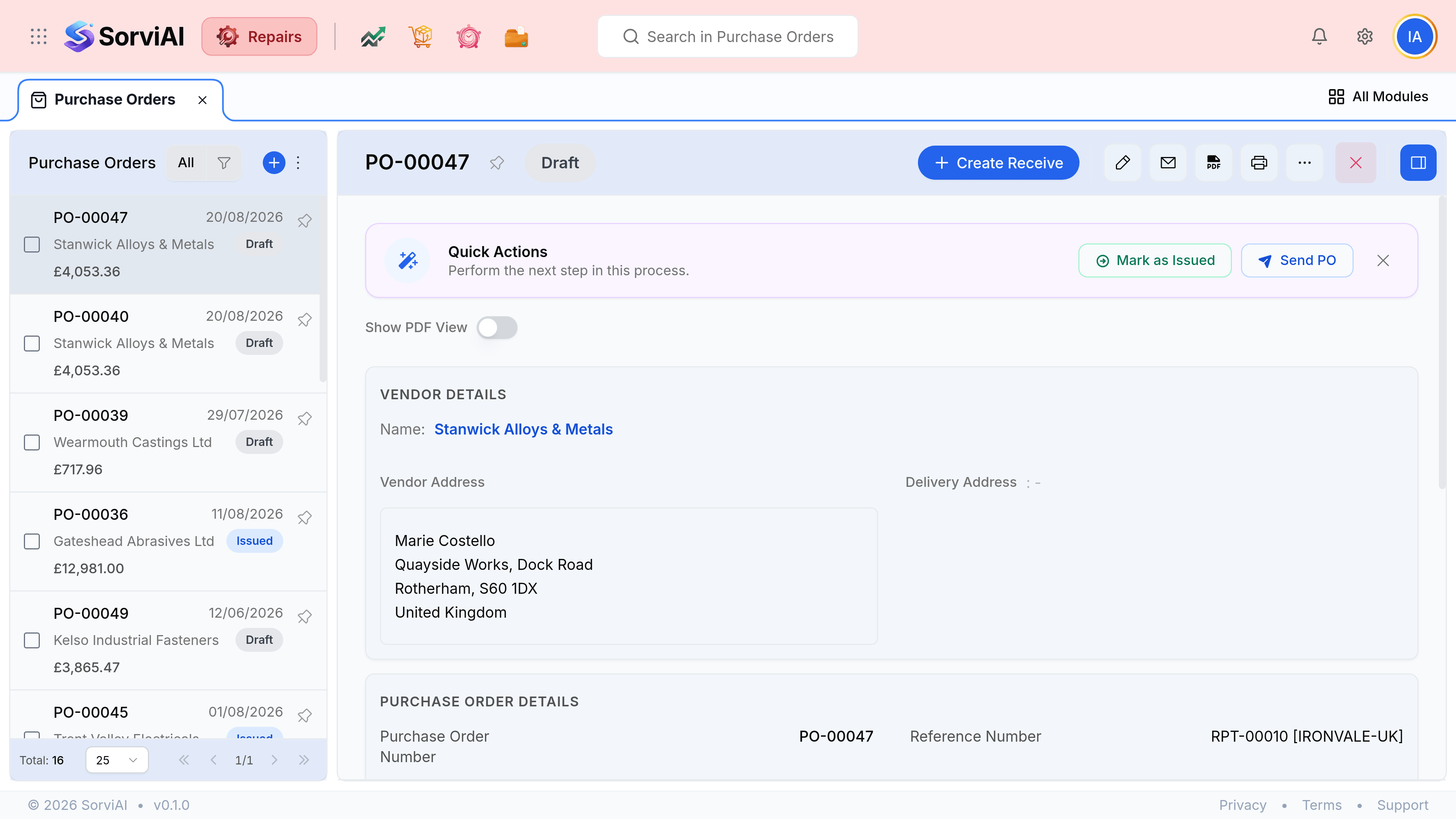
- The job this order was raised for. It is the thread from a late delivery back to the customer waiting on it.
- Receiving
- Whether the parts have physically arrived. Yet to be received means the shelf is still empty.
- Billing
- Whether the supplier has invoiced you. Independent of receiving: parts often arrive before the bill does.
- Vendor address and delivery address
- Who you are buying from, and where the goods are going. They are not always your own site.
- Quick Actions
- The step that usually comes next, offered as a button rather than hidden in a menu.
Two states, not one
The most useful thing on this screen is that receiving and billing are tracked apart. An order is rarely finished in one move, and collapsing the two into a single status would hide the half that is still outstanding.
| Receiving | Billing | What it means |
|---|---|---|
| Yet to be received | Yet to be billed | Nothing has happened yet. The supplier has the order and you are waiting |
| Received | Yet to be billed | The parts are on the shelf and the invoice has not arrived. The repair can carry on |
| Yet to be received | Billed | You have been invoiced for goods you do not have. Worth querying |
| Received | Billed | The order is done |