
Record a payment
Taking money against a repair invoice and allocating it so the bill actually clears.
Recording a payment is two jobs in one form: saying what arrived, and saying what it pays for. The second half is the one that gets missed, and it is the half that clears the invoice.
Highlights
- Choose the customer first. Their unpaid invoices only load once you have.
- Amount and payment date are required, along with the mode and the deposit account.
- Bank charges have their own field and are not applicable to cash.
- The reference number is what you will search on when reconciling later.
- Allocation is not automatic. Money you do not allocate clears nothing.
Fill in the form
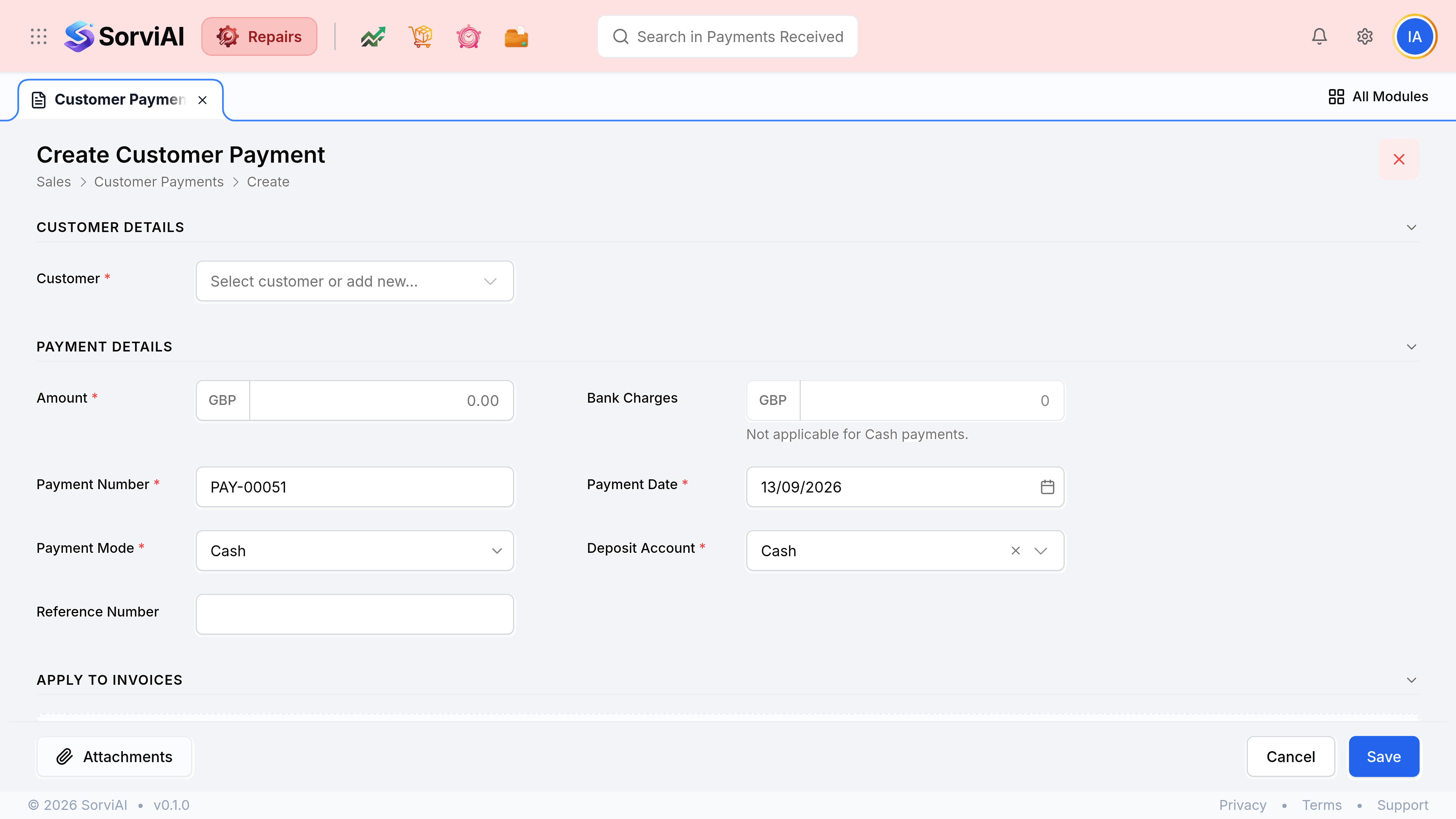
Go to Payments Received and select the Payment button
Choose the customer
Their outstanding invoices load into the Apply to Invoices panel underneath.
Enter the amount that arrived
Enter what the customer actually sent, before any deduction.
Set the payment mode and the deposit account
The mode is how it arrived; the account is where it landed. Add Bank Charges if the transfer cost you something, which does not apply to cash.
Enter a reference number
Their remittance number, or the invoice number they quoted. This is what makes the payment findable later.
Allocate the money against their unpaid invoices
Enter an amount against each invoice this payment settles. Spread it across several if that is what the customer intended.
Select Save
The invoices you allocated to update their badges, and the payment joins the list.