
Add specifications with metafields
Metafields are your own key and value pairs on a product, shown to a shopper as a specifications table and readable by smart collection rules.
Prose is the wrong place for a bore size. Metafields hold the figures a buyer compares between products, one row each, so a shopper can scan them instead of reading for them.
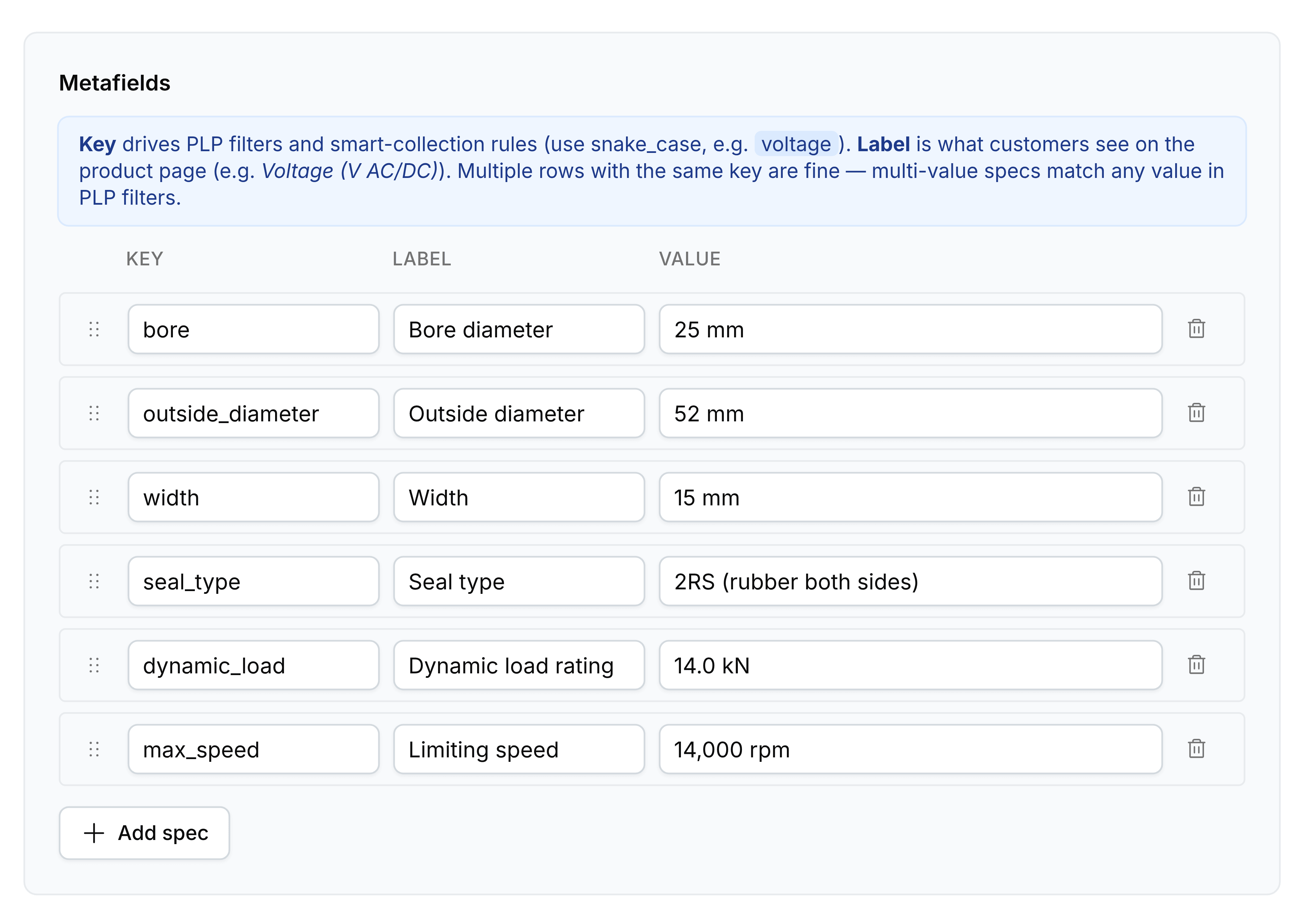
Add a metafield
Go to Products, select the product, and scroll to Metafields.
Enter the Key in snake_case, such as
voltage. This is the name rules and filters match on, not the one a shopper reads.Enter the Label, which is what appears on the product page, such as
Voltage (V AC/DC).Enter the Value, which is the figure or the wording itself, such as
24V.Add the next row, then select Save.
Drag a row by its handle to change the order they appear in, and use the delete control at the end of a row to remove one.
Key and Label do different jobs
The note at the top of the card is worth reading once and then obeying, because the two fields are not interchangeable.
- Key
- What smart collection rules and storefront filters match on. Written in snake_case, such as bore or seal_type, and never shown to a shopper.
- Label
- What a shopper reads on the product page, such as Bore diameter. Change it whenever the wording could be clearer; nothing depends on it.
- Value
- The figure or the wording itself.
A key is a name you invent, and nothing stops two products spelling the same idea differently. That costs you twice: a shopper comparing two products sees two different tables, and a rule on Spec attribute matches only the spelling it was given.
More than one row can share a key
Two rows with the same key are allowed and useful: a product that suits several standards can carry the key once per standard, and a filter matching any one of those values finds it.
What a rule can do with them
A smart collection condition on Spec attribute asks for a key and then compares its value, so body_material is equal to 316 Stainless Steel gathers every product carrying that pair without anybody tagging them. That only works on products where the key exists, which is the practical argument for filling metafields in as you write a product rather than in a later pass.