
Answer an enquiry
Open a pending enquiry, accept or reject it, and keep notes on it that only your team can read.
Answering an enquiry is a decision you record, not a message Storefront sends. Read what the customer asked for, decide, and leave a note saying why, so whoever picks the conversation up next knows what was agreed.
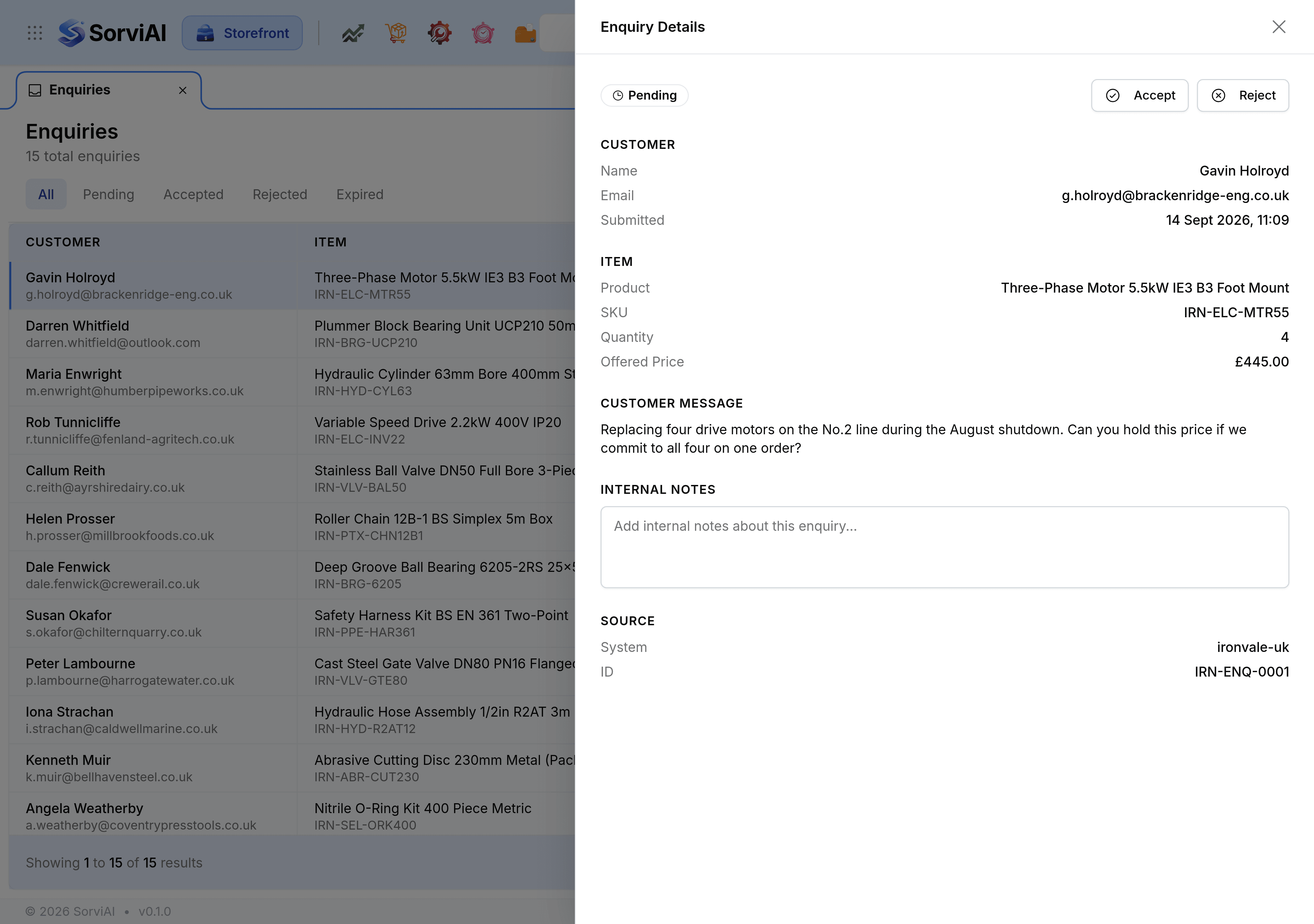
Accept or reject
Go to Enquiries and select Pending.
Select the enquiry. Enquiry Details opens beside the list.
Read Customer Message, along with the item and the quantity wanted.
Select Accept or Reject.
The status changes at once, in the panel and in the list, and the Accept and Reject controls go, because the decision has been made.
Leave an internal note
In Internal Notes, write what was agreed, what you offered, or what still needs doing.
Select Save.
Notes are for your team. The customer never sees them, which is what makes them worth writing honestly: the price you would actually go to, the quantity break you offered, the fact that somebody promised to ring back on Friday.
Close the panel
Select the cross at the top of the panel. The list stays where it was, with the enquiry you just answered showing its new status.