
Link a domain to a market
Tie a hostname to a market so visitors arriving on it see prices in that market's currency, and understand why the picker is sometimes absent.
A market decides the currency; a domain decides which visitors land in it. Linking the two is what makes a visitor on your Irish address see euros without choosing anything.
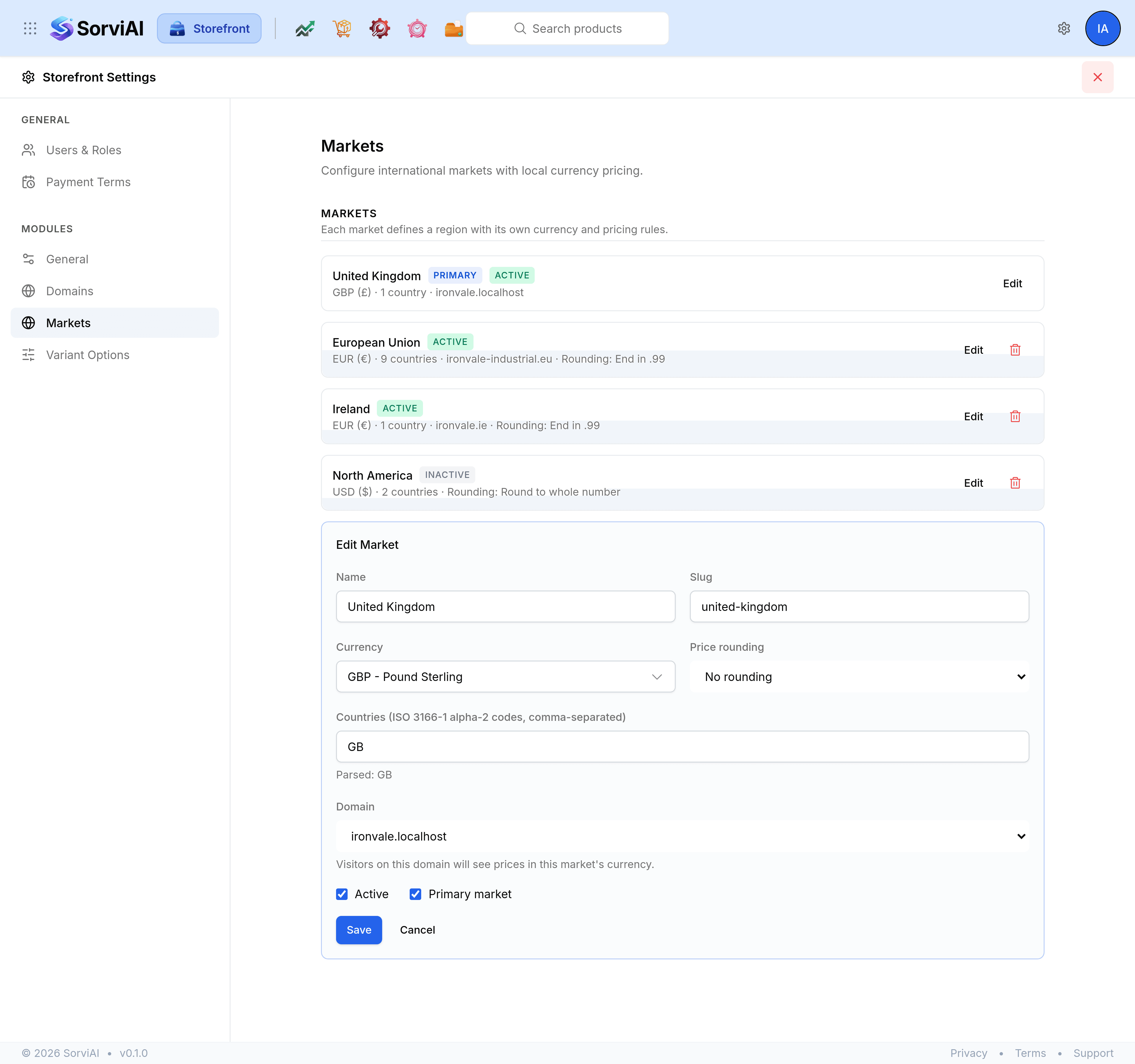
Open Storefront Settings and select Markets.
Select Edit on the market.
Under Domain, choose the hostname this market should serve.
Select Save.
The hostname then appears beside the market in the list, so the whole mapping is readable at a glance.
One domain, one market
A domain already linked to another market says so in the picker. Choosing it here moves it rather than sharing it, because a visitor on a single address cannot be in two markets at once.
Choose No domain (uses primary market) to unlink one. The market keeps working; it simply has no address of its own, and visitors reach it only through whatever else routes them there.
What an unlinked visitor sees
Every visitor who is not placed in a market by a domain falls back to the primary market and its currency. That is why exactly one market has to be primary, and why the primary market has no delete control.