
An enquiry is missing or cannot be answered
Why one request appears several times, why the offered price is zero, why Accept and Reject are sometimes absent, and where the notification went.
Most surprises in Enquiries come down to one row per product, a status filter, or a setting that was never filled in. Each heading below is a situation you might meet, with the reason and the fix.
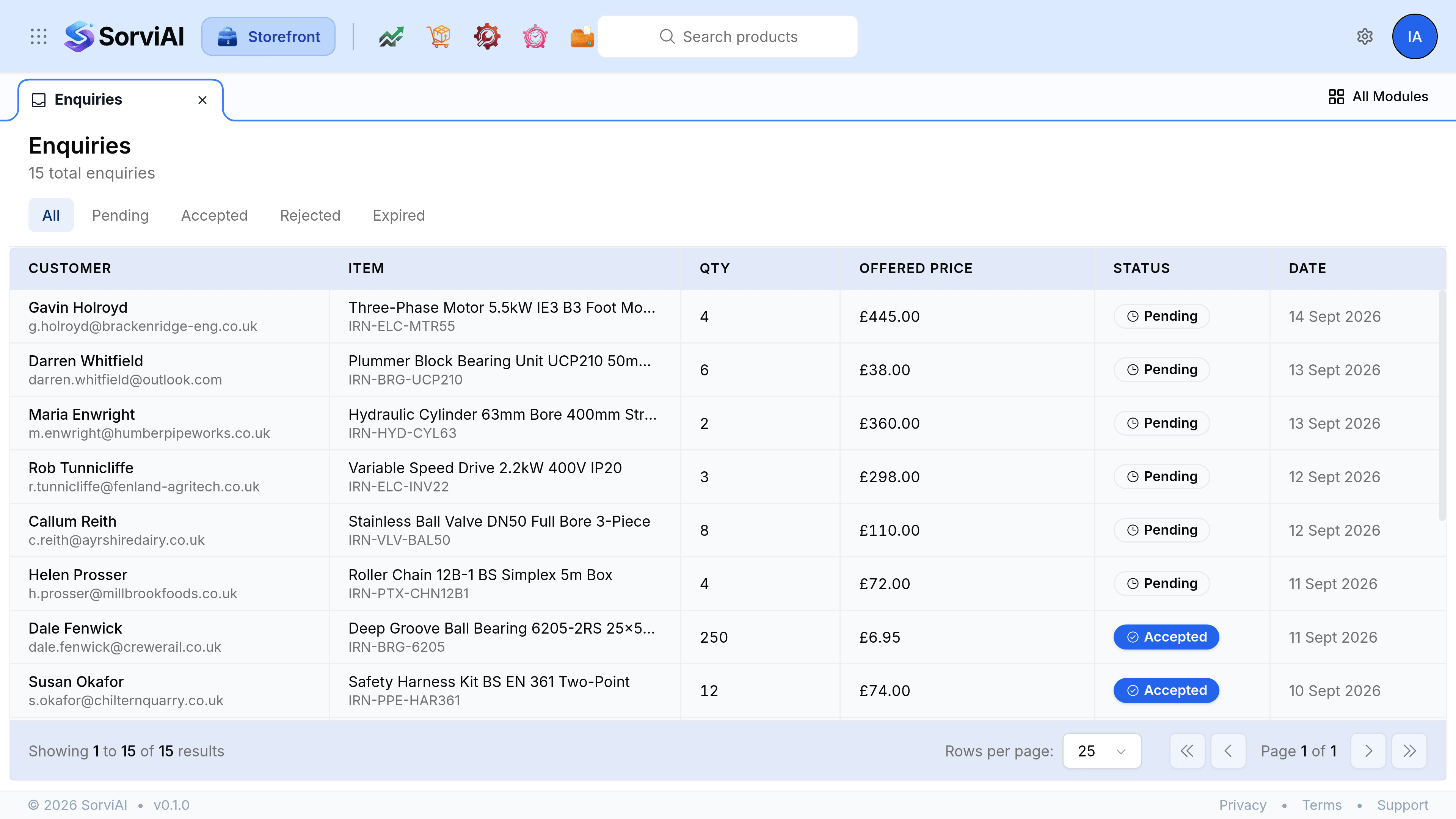
The same customer appears several times over
Why: this is how enquiries are recorded. One request produces one row per product the shopper had in their cart, each with the same name, message and reference.
What to do: treat the reference as the request. Open a row, read ID under Source, and answer every row carrying it rather than just the first one you opened.
An enquiry a customer says they sent is not in the list
Why: the list is filtered. A tab other than All hides everything in the other three statuses, and it is easy to leave Pending selected and forget.
What to do: select All and look again. If it genuinely is not there, ask whether they were told the store could not take the enquiry, which happens when no notification address is set.
Offered Price reads nothing at all
Why: the storefront's enquiry form does not ask a shopper to name a price. It collects their details, their message and what was in their cart, so the price column has nothing to put in it.
What to do: nothing is broken. Quote in the usual way, and use Internal Notes to record the figure you offered.
Accept and Reject are not on the enquiry
Why: the enquiry has already been answered. The two controls appear only while the status is Pending, so an accepted, rejected or expired row shows the decision instead of the buttons.
What to do: nothing is broken. If the decision was wrong, record what should happen in Internal Notes and carry it on outside Storefront.
The customer shows as Not specified
Why: the request came from somebody who is not one of your contacts, so there is no account to tie it to. The name and email they typed are still on the enquiry.
What to do: answer it as normal. Add them as a customer in the usual way if it turns into an order.
Nobody was told the enquiry arrived
Why: no notification address has been set, so notifications fall back to your organisation's own address, which is often a general one nobody watches.
What to do: open Storefront Settings, go to General, and enter the address your sales desk actually reads in RFQ notification email.
Shoppers are told the store cannot take enquiries
Why: neither the RFQ notification address nor your organisation's email is set. Rather than accept a request nobody would hear about, the storefront refuses it and tells the shopper to contact the store administrator.
What to do: set RFQ notification email on the General screen. Enquiries start working again immediately, but anything attempted while it was unset was never recorded.