
What pages are
A page is writing that is not about one product: delivery terms, an about page, how to open an account. Each gets an address of its own.
Products and collections are the goods on the shelves. Pages are everything a customer needs to read before they trust you with an order: how delivery works, who you are, what happens when something goes back.
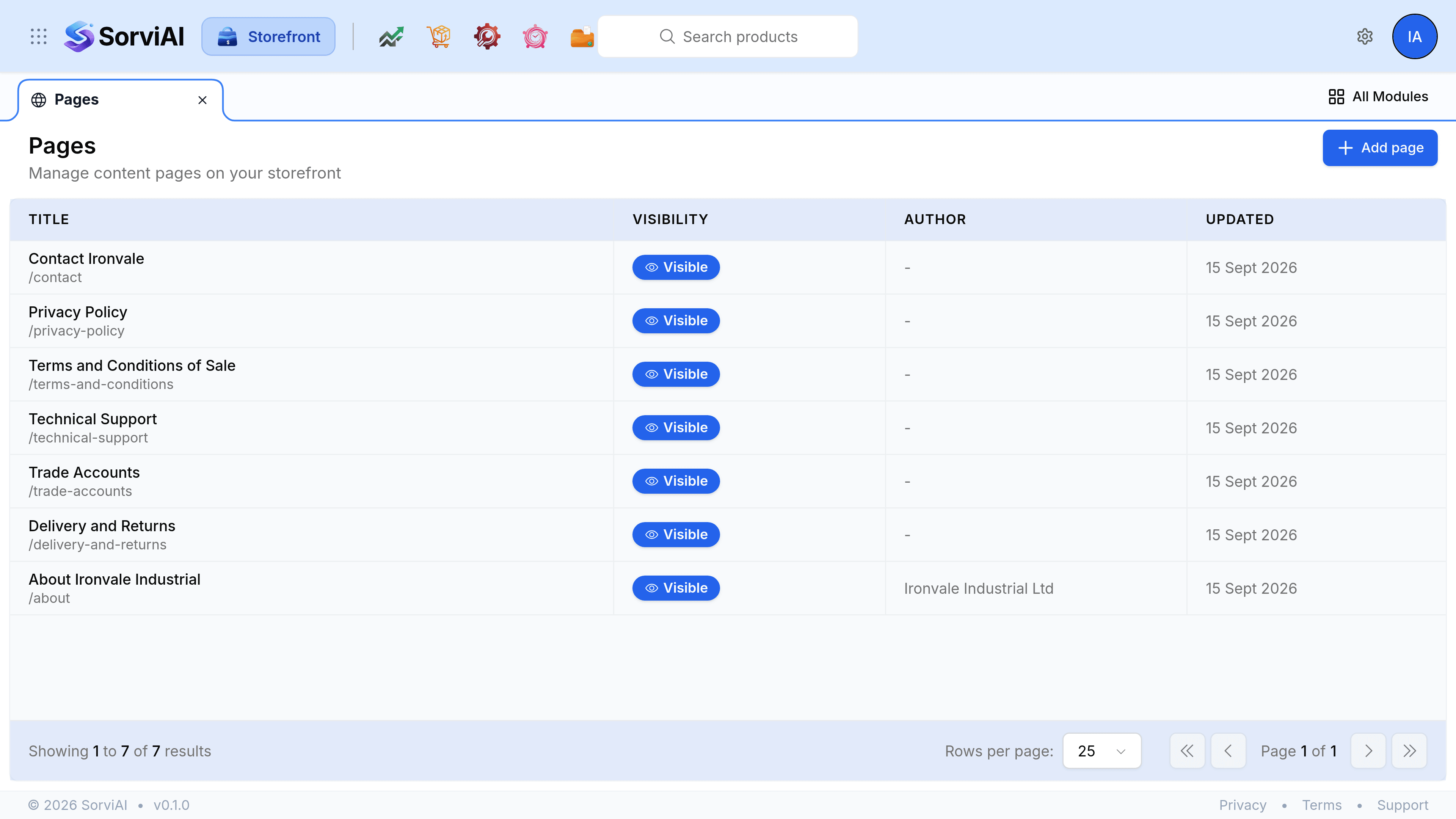
What the list shows
- Title
- The page's name, with its address underneath so you can see where it sits.
- Visibility
- Whether the page is served at all. A page can exist and be turned off.
- Author
- An optional byline. Most pages leave it empty.
- Updated
- When the page last changed.
Select any row to open the page in its editor.
How a page is built
A page has a top half and a bottom half, and they are edited in different places.
- The page record
- Its title, its address, whether it is visible, whether search engines should index it, its byline and its search engine listing. All of it on the page editor.
- Its sections
- The bands the page is actually made of, stacked in order. Edited under Manage sections, which is the same editor the homepage uses.
A page that is purely writing is one Text Block section and nothing else. A page that needs a form, a row of contact cards or a call to action stacks those as further sections.
What belongs on a page
- A page
- Something a visitor reaches on purpose and might bookmark or be sent a link to: terms, delivery, trade accounts, an about page.
- A homepage section
- Something a visitor meets on the way past rather than goes looking for.
- A menu entry
- How they find either without knowing the address.
Visible, and indexed, are two questions
Visible on storefront decides whether the page is served. Hide from search engines decides whether it is offered up in search results. Terms and privacy notices are usually visible and hidden from search: customers must be able to read them, and they are not what you want a search result to open on.