
What enquiries are
An enquiry is a request for a quote sent from the storefront, recorded as one row per product the shopper had in their cart.
Not every customer wants to check out. On the storefront a shopper can gather what they need and ask you to quote for it instead, giving their name, email, phone and a message. That request arrives here.
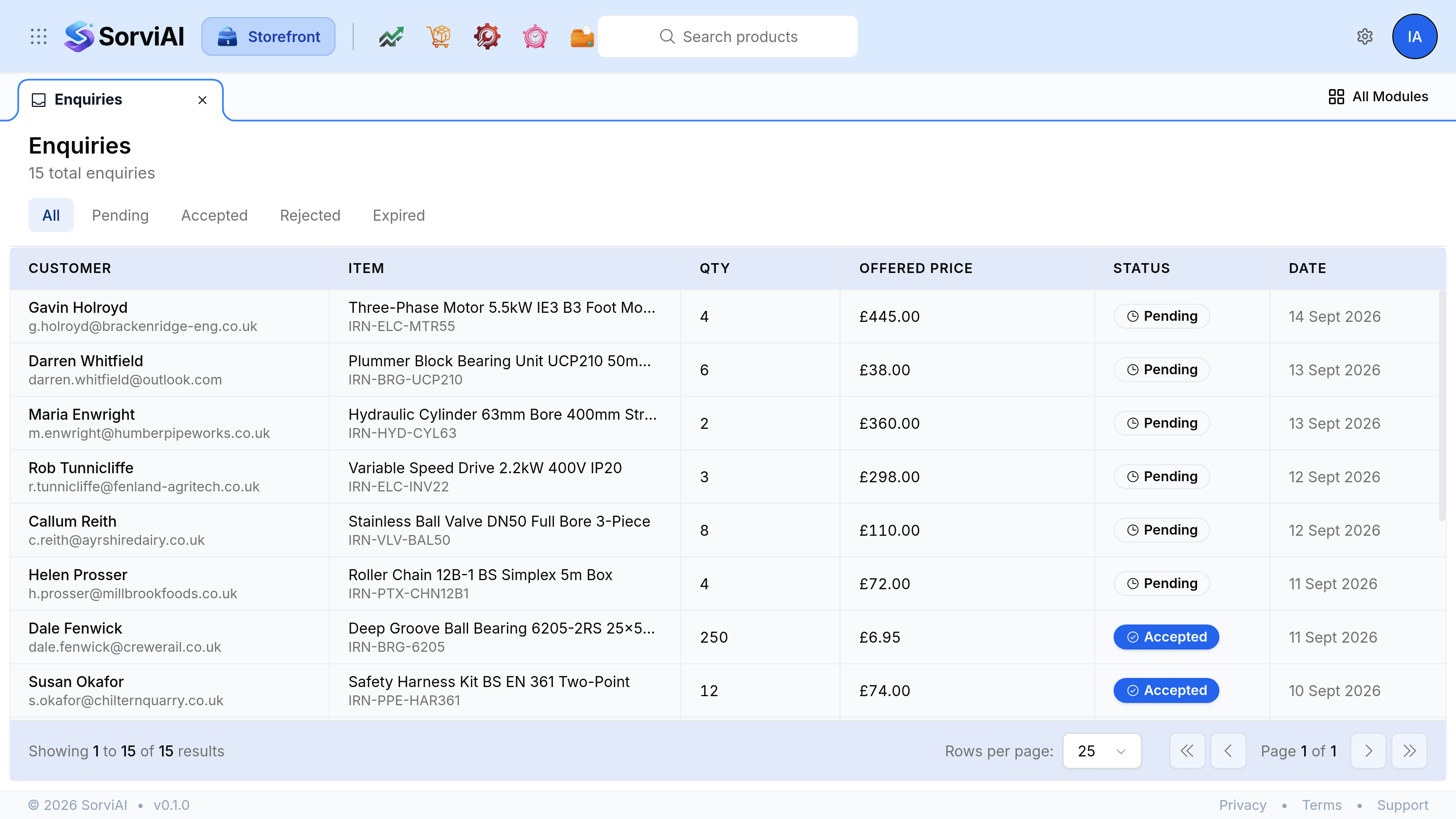
One request, one row per product
This is the thing to understand before anything else. Storefront records an enquiry per product, not per request. A shopper who asks about four items sends one form and produces four rows, each carrying the same reference, the same name and the same message.
- The customer
- The name and email they typed, on every row of that request. Where it matches somebody you already trade with, the enquiry is tied to that contact.
- The item
- One product and its SKU. This is what differs between the rows of a single request.
- The quantity
- How many of that product they had in their cart.
- The message
- What the customer wrote, repeated on each row, which is usually where the real question is.
- The source
- The request's own reference, shaped like RFQ-1a2b3c4d, and the system it arrived from. The reference is what ties the rows of one request together.
The four statuses
- Pending
- As submitted, and unanswered. Every enquiry from the storefront starts here, and it is the only status you can act on.
- Accepted
- You agreed to it. The decision is recorded on the enquiry.
- Rejected
- You declined it.
- Expired
- The request is no longer open. Storefront does not time enquiries out by itself, so a row only carries this if it arrived that way.
The tabs above the list are those four plus All, so finding everything still waiting is one select on Pending.
What the list shows
The columns are the customer with their email underneath, the item with its SKU, the quantity, the offered price, the status and the date it arrived. Newest first. Select any row to open the enquiry in a panel beside the list.
Where the notification goes
Each request also sends an email, to the address set on the General screen of Storefront Settings, or to your organisation's own address when that is empty. If neither is set, the storefront refuses the submission and tells the shopper to contact the store administrator, so this is a setting worth filling in before you open for business.