
What the menus are
Storefront keeps two menus, one across the top of every page and one at the foot, and each entry holds an address you type.
There are exactly two menus and you cannot add a third. One runs across the top of every page, one sits at the foot, and both are edited on the same screen.
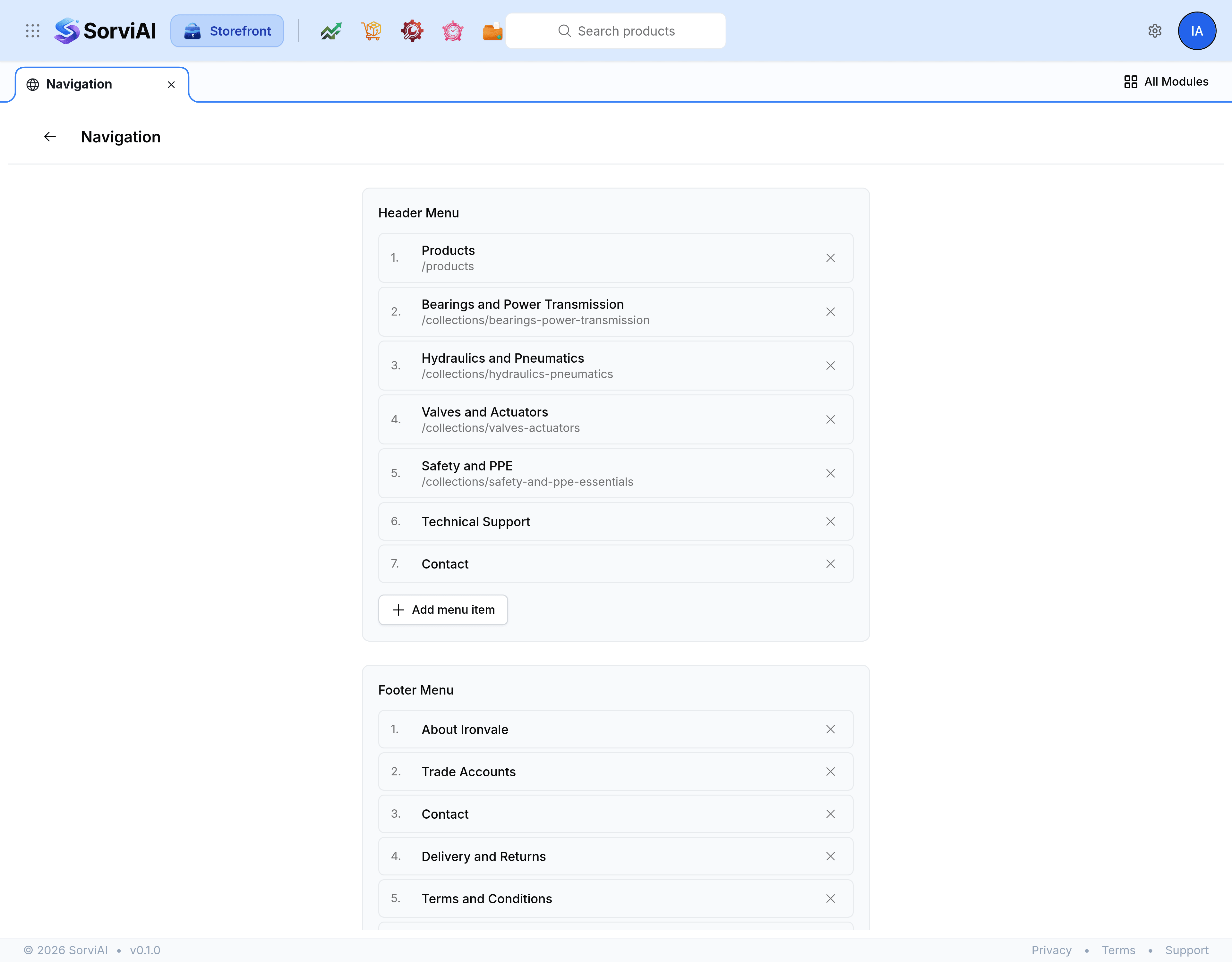
- Header Menu
- The main way around the store. Short, and read by everybody.
- Footer Menu
- The long tail: terms, privacy, delivery, the about page, anything a visitor looks for only when they need it.
The three link types
Every entry has a label, which is what a visitor reads, and a link type, which says what kind of thing it points at.
- Custom URL
- Any address you type, such as /products. Use it for a destination that is neither a page nor a collection.
- CMS Page
- One of your content pages, addressed as /pages/ followed by its handle.
- Collection
- A collection page, addressed as /collections/ followed by its handle.
The type changes the example shown in the URL field rather than turning it into a picker, so in every case you are entering an address.
Before the menus exist
A store that has never had menus shows a single message saying they need to be initialised, with one button that creates both. After that the screen always shows the two menus, empty or not.
How long a menu should be
- The header
- Five or six entries. A header listing everything is a header nobody reads.
- The footer
- As long as it needs to be. This is where the pages a visitor looks for deliberately belong.