








Your Stock, on a Public Website

Storefront publishes the items already held in Inventory as a public catalogue of your own. Customers search, filter and submit an enquiry, which arrives in Finance as a draft quotation.

30-day trial. No card needed. Export your data at any time.

Your catalogue is your stock.

Every product on the site is an item Inventory already holds, so a price or a stock movement reaches the store the moment it is saved.

9:41
The same parts catalogue on a phone, with a filters control, a result count and a two-column grid of parts.

What Storefront covers

Products published from items you already hold, collections that keep themselves current, your own domain, homepage blocks and theme all have a place here. An enquiry arrives in Finance as a draft quotation.

Billing

Storefront, priced for the organisation

Choose a plan below, or compare plans.

Storefrontby SorviAI

$29Save 17%/ month, billed annually

All seven applications come to $79 a month on SorviAI Orbit.

30-day trial. No card needed. Export your data at any time.

  • Any single SorviAI app, named at checkout
  • Your own workspace on its own subdomain
  • Included seats, flat per organisation
  • Roles and permissions for every seat
  • Two-factor authentication and an audit trail

What you publish

Products

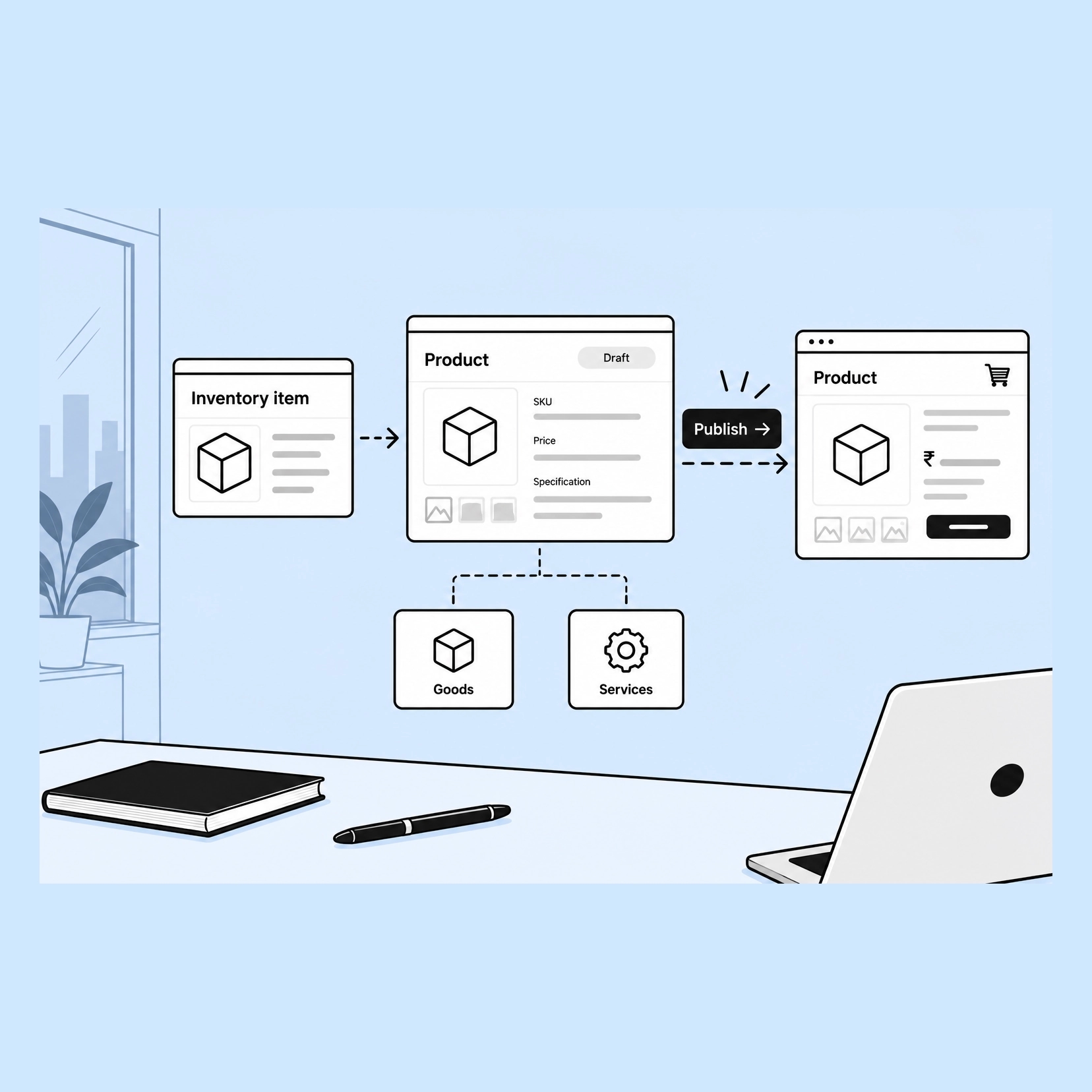
An item held in Inventory becomes a product by being published, and it carries its own price, SKU, photographs and specification onto the page. Goods and services both list, and a product stays a draft until it is ready to be seen.

The item is the product

There is no second catalogue to populate. Publishing is a setting on the record staff already maintain, so the page cannot drift from the stock.

Draft until you say otherwise

A product is worked on in draft and published when it is right, rather than appearing the moment somebody creates it.

Goods and services both list

A part and a service can sit in the same catalogue, each with the price and unit it is actually sold in.

How they group

Collections

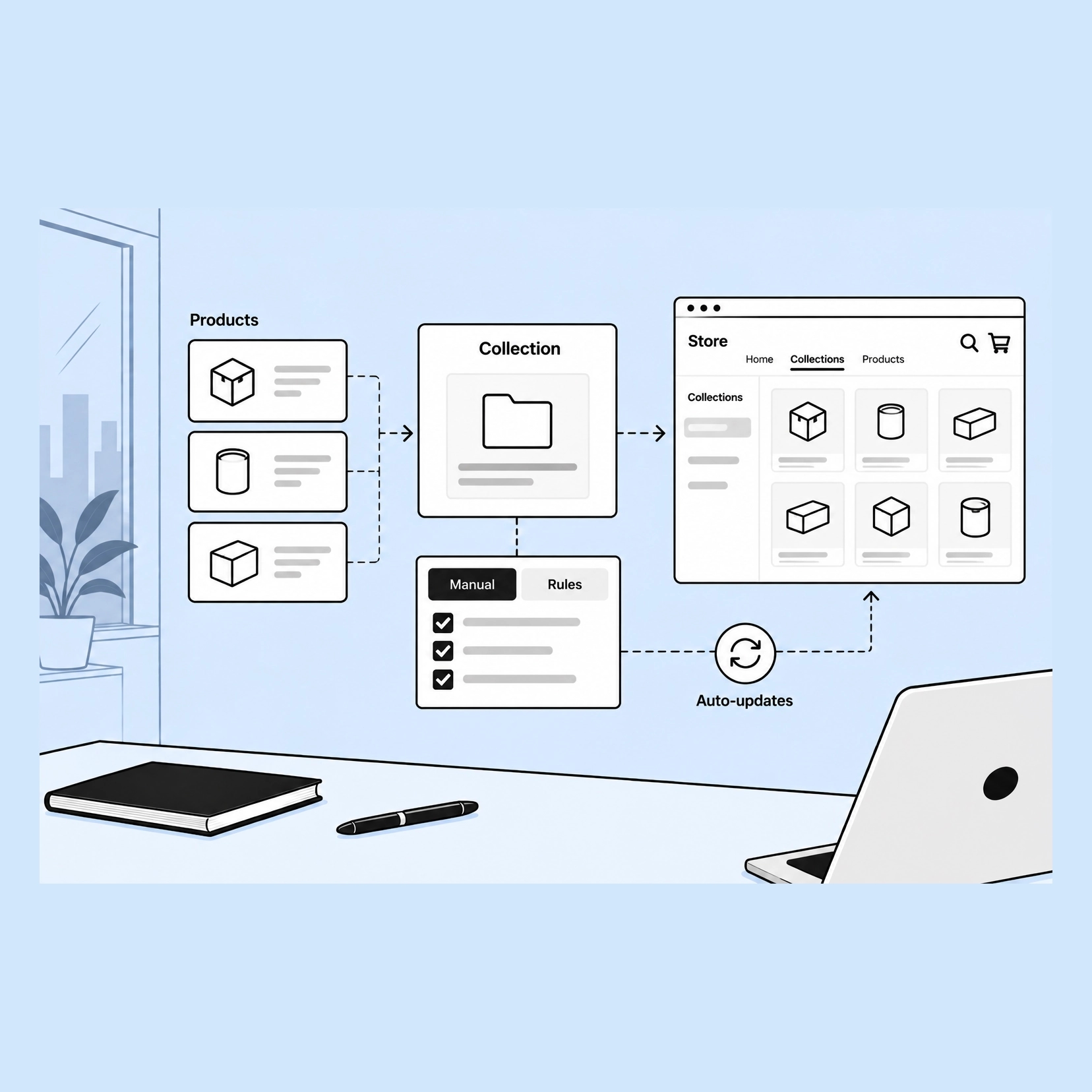
A collection is how products are grouped for the people browsing them. Pick the members by hand, or set the conditions and let the collection keep itself current as stock changes.

Chosen, or matched by rule

A collection can be a list you curate or a set of conditions - brand, type, tag, price, specification - that decides membership for you.

A rule-based collection maintains itself

Products entering or leaving the conditions join or drop out on their own, so a seasonal or clearance group is not a list somebody prunes.

The same grouping the store navigates by

Collections are what the menus and the homepage grid point at, so how you group is how a customer moves through the catalogue.

What comes back

Enquiries

The store asks for an enquiry rather than a card. What arrives carries the products and quantities the customer picked, and it opens as a draft quotation in Finance with the customer and the lines already on it.

The enquiry is already a document

It arrives as a draft quotation, not an email to be re-keyed, with the products, quantities and the customer attached.

A state you can work

Pending, accepted, rejected and expired are states on the enquiry, so an open list is a list of things still owed an answer.

Priced by a person

Trade pricing is agreed rather than published, which is why the store takes an enquiry instead of a payment.

Where it lives

Online store

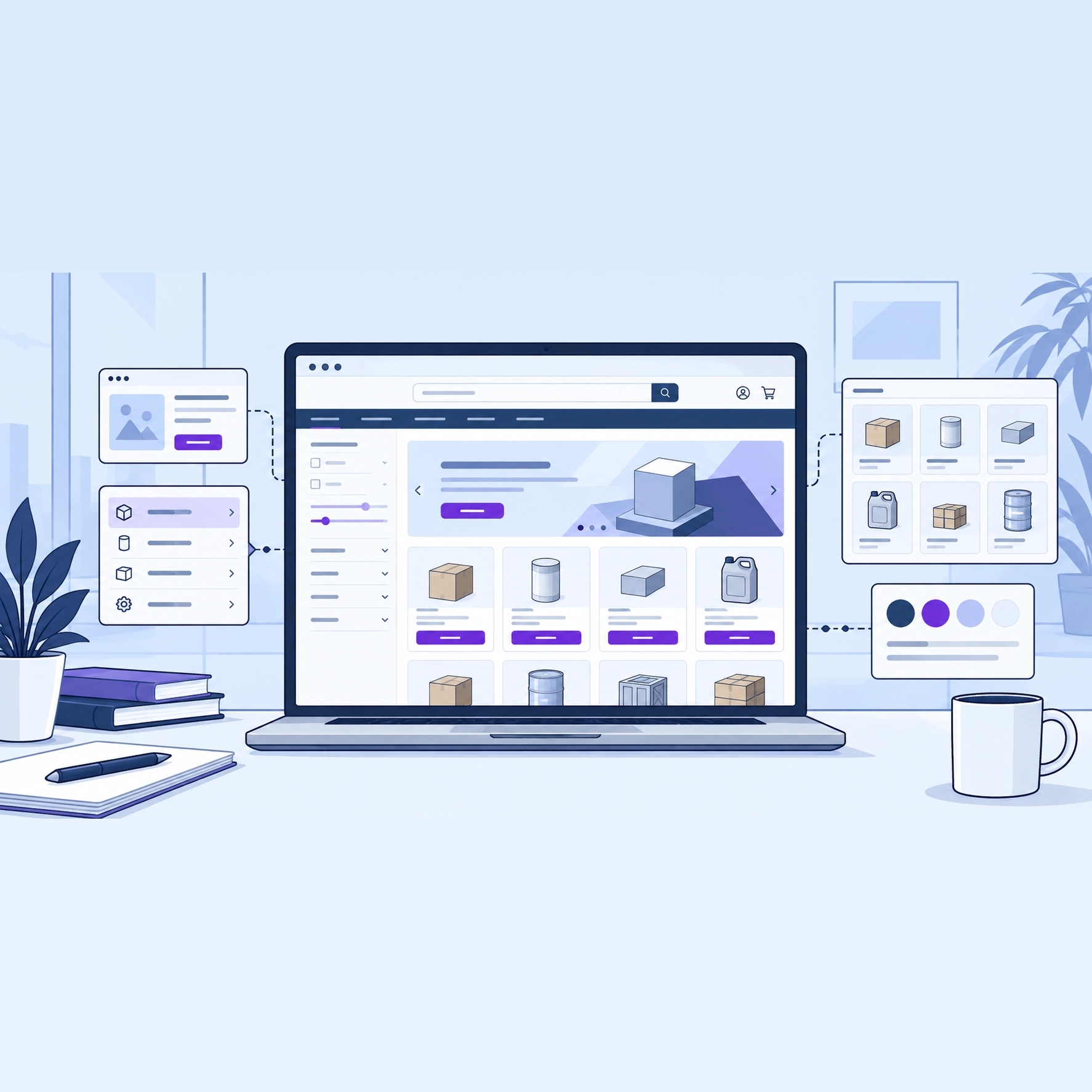
The store is yours: your own domain, your own homepage and pages, and a theme set to your colours. The homepage is built from blocks rather than written, and the navigation points at the collections you already keep.

Your own domain

A primary domain with aliases and redirects, so the address is yours and old links keep working.

A homepage built from blocks

A hero banner, featured products, a collection grid, value props and a contact band, arranged in the order you want them.

Pages, navigation and theme

Static pages for the things every buyer asks, menus that point at collections, and a theme carrying your colours and background.

A laptop showing a storefront homepage: a hero banner above a grid of product cards. Around it, a card showing a page-building block, a card showing a navigation menu, a card showing a collection grid, and a card showing a row of colour swatches.

FAQ

Questions about Storefront

Show customers everything you sell, online

Start a 30-day trial and publish your first few items. When it ends, your workspace goes read-only and your export stays available. We never lock you out of your own books.

30-day trial. No card needed. Export your data at any time.