
General settings
The address enquiry notifications go to, and how the homepage describes itself to a search engine.
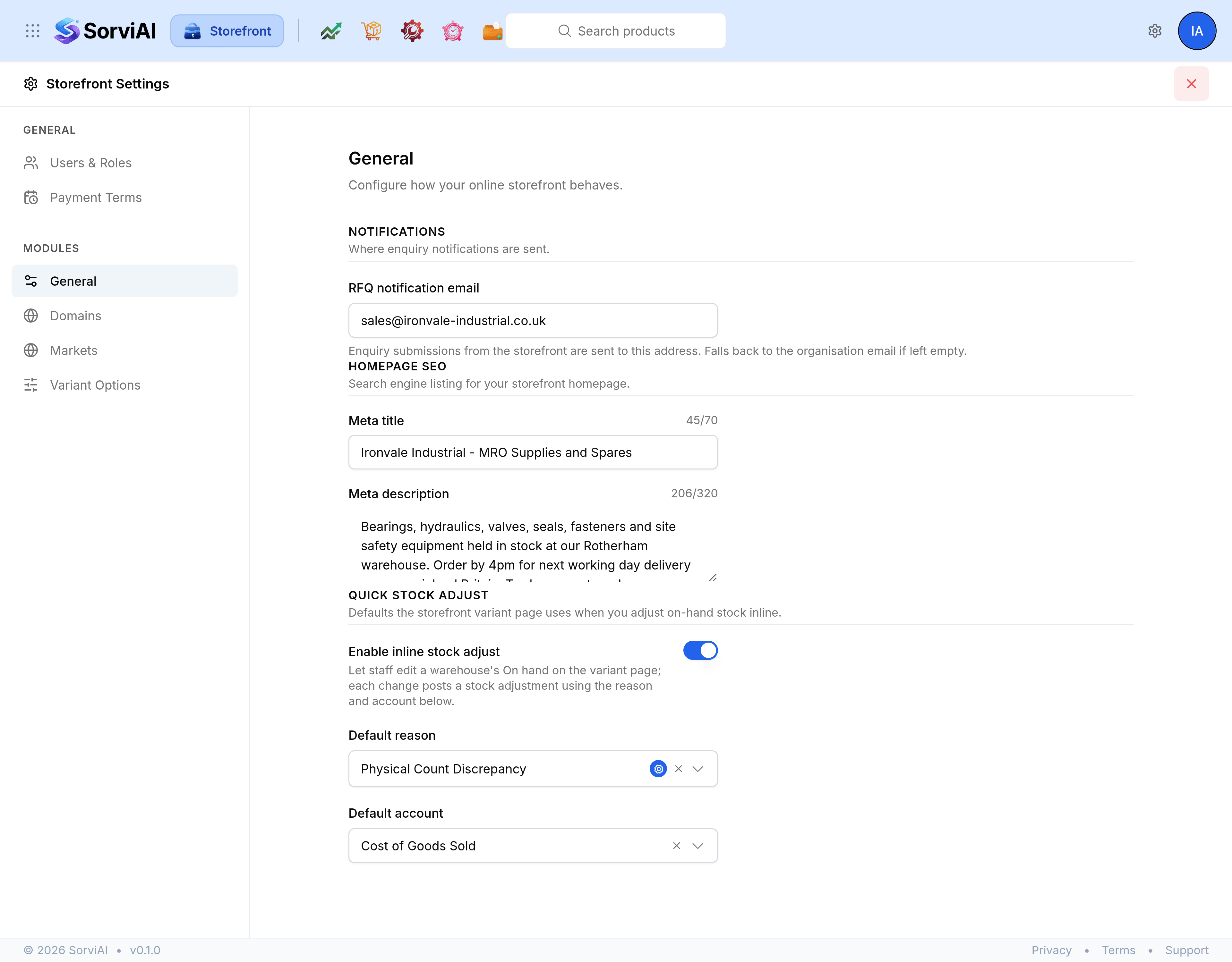
General is the first screen under Modules in Storefront Settings. It holds three groups that have little to do with each other: where enquiries are announced, how the front page describes itself to a search engine, and what an inline stock correction fills in for you.
Notifications
| Field | What it does |
|---|---|
| RFQ notification email | Where enquiry submissions are sent. Leave it empty and they go to your organisation's address instead. |
Worth filling in before the first enquiry arrives rather than after. An organisation address is usually a general one that nobody watches hour by hour, and a missed enquiry is a missed order.
Homepage SEO
| Field | What it does |
|---|---|
| Meta title | The headline a search result shows for your front page. A counter beside the field keeps you inside the limit. |
| Meta description | The sentence or two underneath it. |
This is the homepage and nothing else. Every product and every content page carries its own search engine listing, set on the record itself.
Quick stock adjust
The third group holds the switch and the two defaults behind the inline on-hand editor on a variant page. Three fields, and enough behind them to be worth their own guide, which is the next article in this section.
Saving
Save and Discard appear at the foot of the screen as soon as you change anything, and not before. Leaving the screen with something unsaved loses it.