
What collections are
Collections are the groups a shopper browses your catalogue in, filled either by rules that keep themselves current or by products you pin yourself.
Few shoppers want a list of everything you sell. A collection is the narrowing: a named group with a page of its own, holding the products that belong together in the way your customers already think about them.
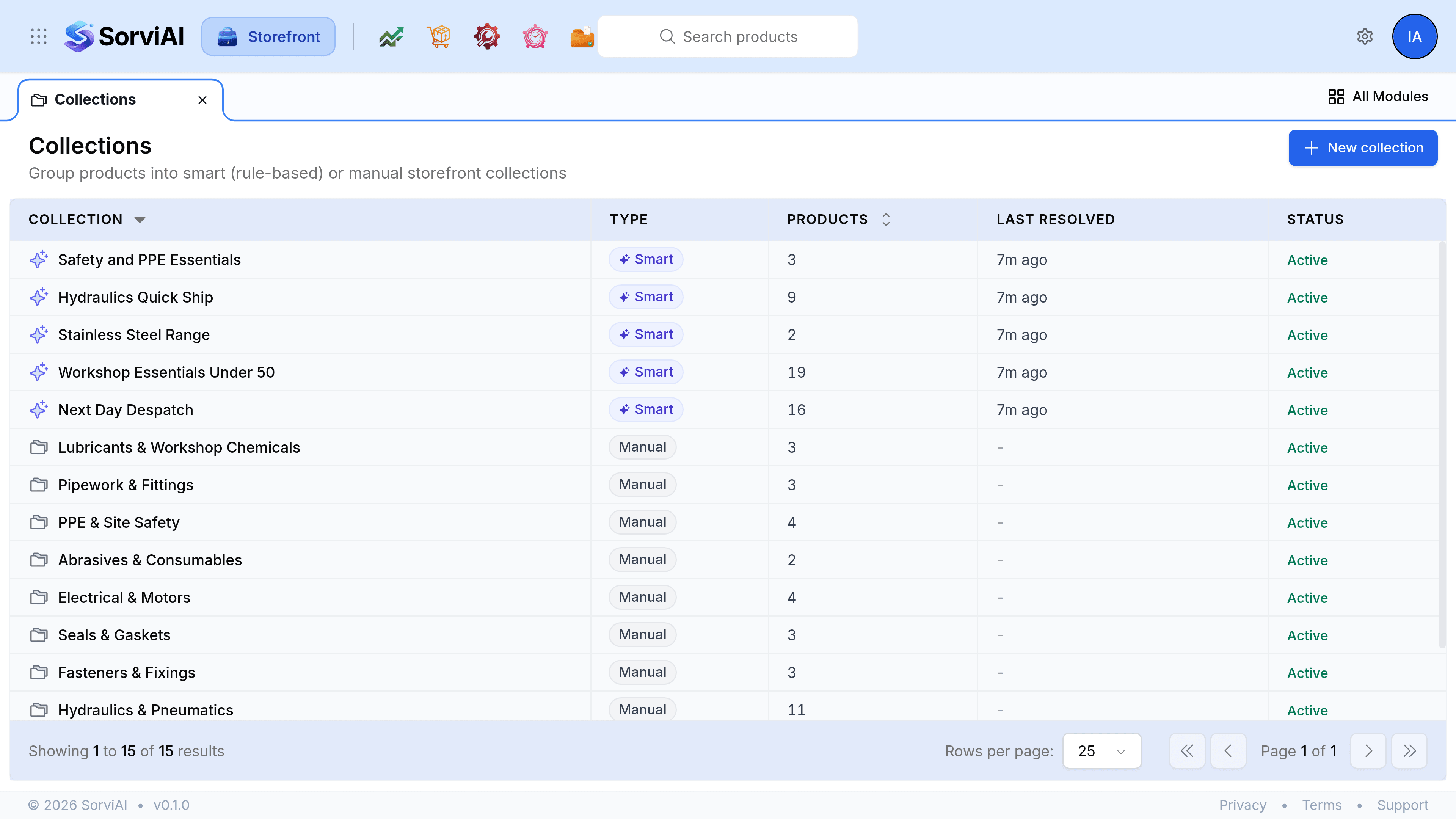
Two kinds, one screen
Every collection is either smart or manual, and the choice is made on the collection itself under Collection type.
Smart
Rules decide the membership
- YesYou write conditions, such as Tag is equal to next-day.
- YesA product that starts matching joins on its own.
- YesA live preview shows what matches before you save.
- NoYou cannot keep one awkward product out by hand.
Manual
You decide the membership
- YesYou pin the products you want, in the order you want them shown.
- YesNothing joins or leaves unless somebody puts it there.
- NoA new product that belongs stays out until it is added.
A seasonal edit, a clearance run or a hand-picked six for the homepage suits a manual collection. Anything that follows a rule you could describe out loud, such as everything under fifty pounds, suits a smart one.
What the list tells you
- Collection
- The name a shopper sees, with an icon marking whether it is smart or manual.
- Type
- Smart or Manual.
- Products
- How many products are currently in it.
- Last resolved
- When a smart collection last recomputed its membership. A manual one shows a dash, because nothing recomputes.
- Status
- Active or Inactive. An inactive collection keeps its contents and stops being offered.
Membership and publishing are separate
A collection can hold a draft product. It simply will not show it, because an unpublished product has no page to show. That is deliberate: it means you can build a collection ahead of a launch and publish the products when you are ready, without rebuilding anything.