
What payment terms are
A payment term is a rule that works out when a document's payment falls due, offered wherever a term is chosen.
A payment term answers one question: given the date on a document, when is the money due? Storefront ships with the common ones, and the list is shared across the business rather than being the storefront's own.
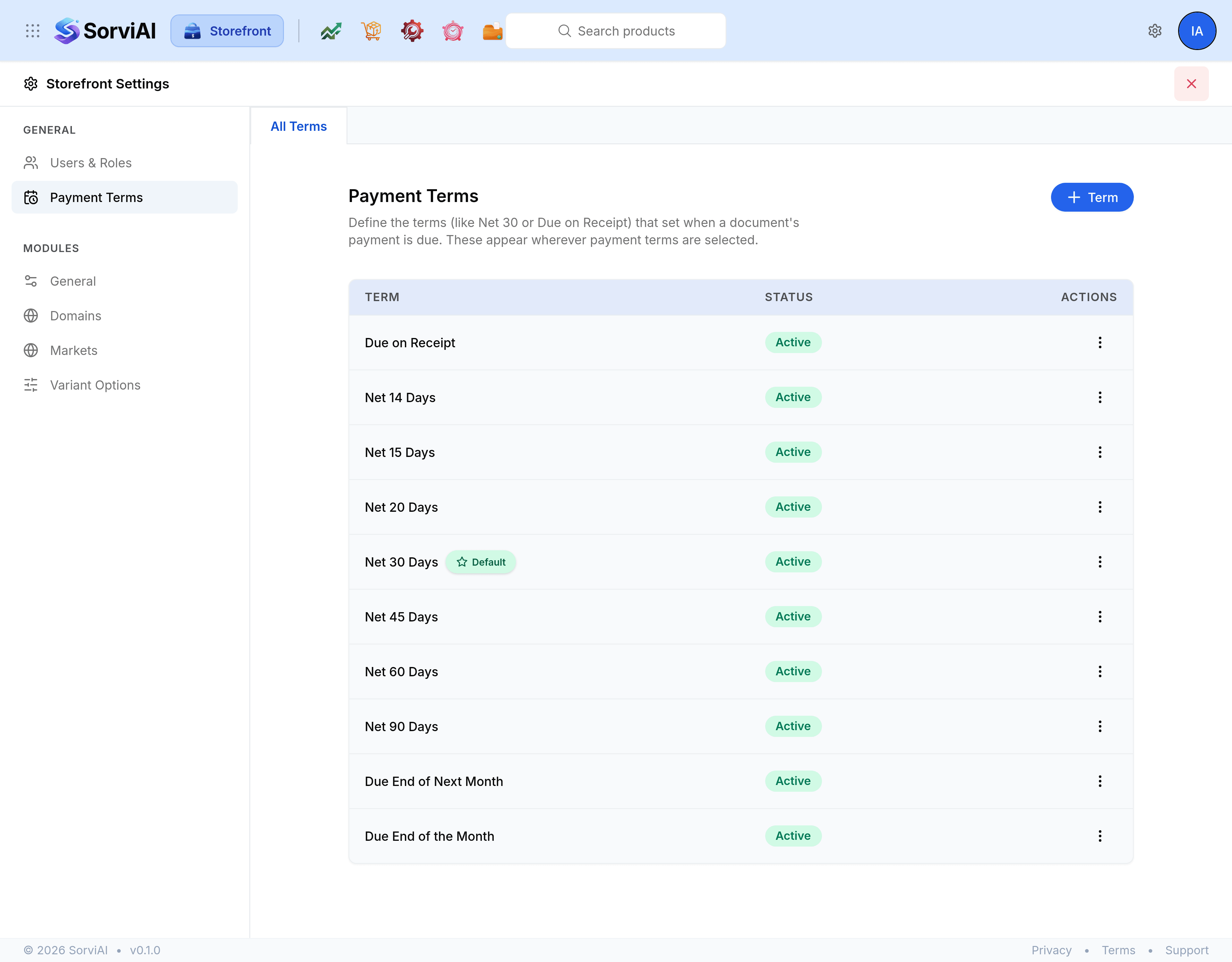
What the list shows
- Term
- The name, such as Net 30 Days. The term marked Default is the one documents take unless something else is chosen.
- Status
- Active or not. An inactive term stays in the list and stops being offered on new documents.
- Actions
- The menu for making a term the default, turning it on or off, editing it or deleting it.
The four due date rules
Every term is built on one of four rules, and the rule is what does the arithmetic.
- Net Days
- Due a fixed number of days after the document date. The only rule that takes a number, which is why there can be many of them.
- Due on Receipt
- Due the same day the document is issued.
- Due End of the Month
- Due on the last day of the document's own month.
- Due End of Next Month
- Due on the last day of the following month.
The default term
Exactly one term is the default, marked with a star in the list. It is the term a new document starts on, and it is always active: a term cannot be both the default and turned off, so the default has no activate control in its menu.
Why this sits in the storefront rail
Payment terms are a cross-module concern rather than a storefront invention. They reach sales documents, purchase documents and contacts alike, and the list here is the same list every other app is reading. Changing a term changes it everywhere.