
How your mailboxes work
The mailboxes connected under your own name, and the folders inside each one.
Last reviewed
My Mailboxes lists the mailboxes connected under your own name. Where a shared inbox is answered by a team, these are yours: nobody else sees what is in them.

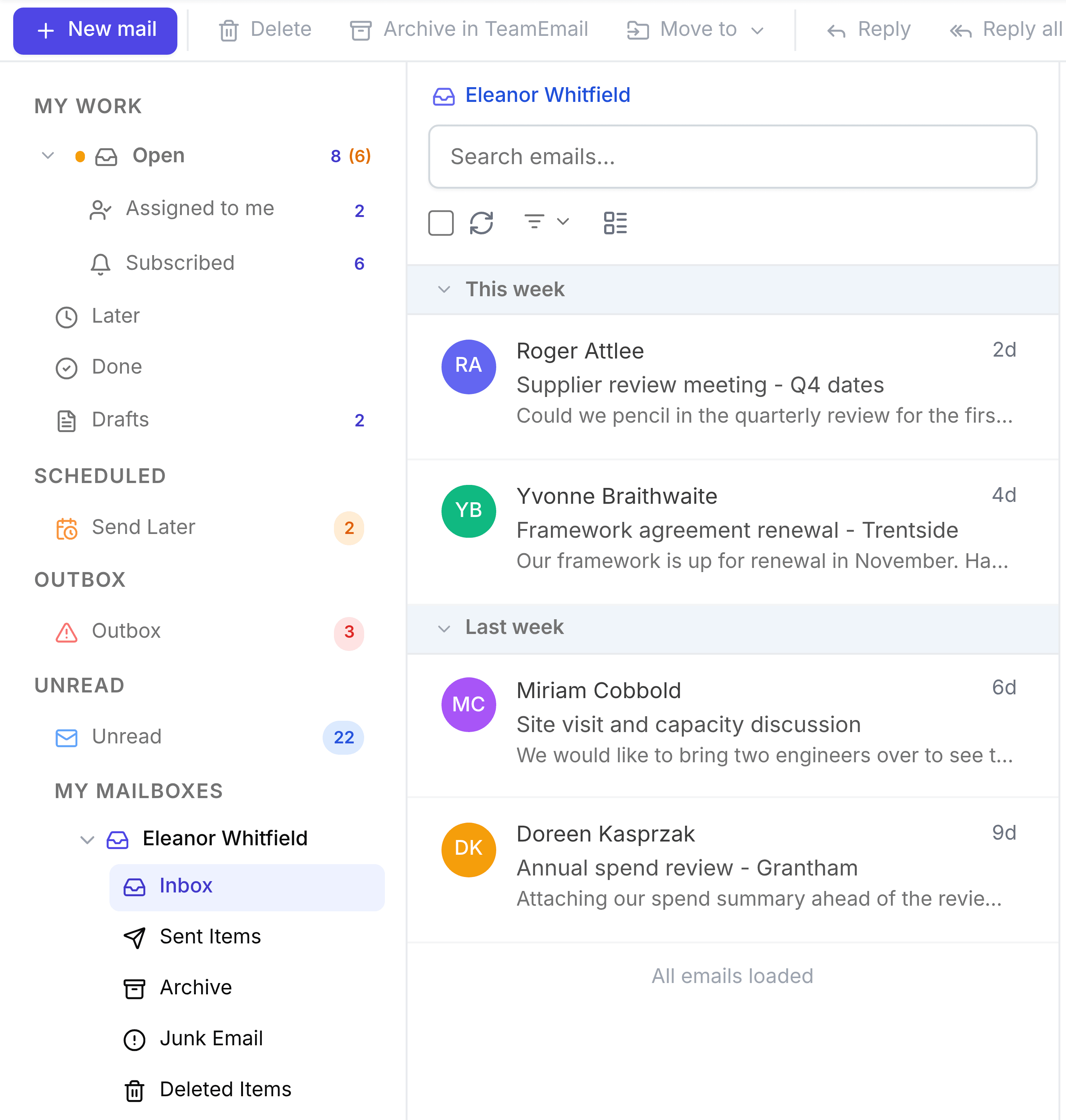
What is inside one
Expanding a mailbox shows Inbox, Sent Items and Junk Email straight from Outlook, plus TeamEmail's own Archive and Deleted Items. Any other Outlook folders are under More.
- InboxMail as it arrives, in the order it was received.
- Sent ItemsEverything you have sent from this mailbox.
- ArchiveConversations put out of the way, which return to Open when a new message arrives.
- Junk EmailMail flagged as spam.
- Deleted ItemsMail you have deleted, until you restore it or remove it from TeamEmail for good.
How it differs from My work
A folder here is a place mail physically sits. My work is a view across mailboxes, built from what is assigned to you or what you follow. The same message can appear in both, and reading it in one marks it read in the other, because there is only ever one copy.
To add a mailbox, connect it in Settings > Connections, then add it to your individual inbox in Settings > Inboxes. See Connections.